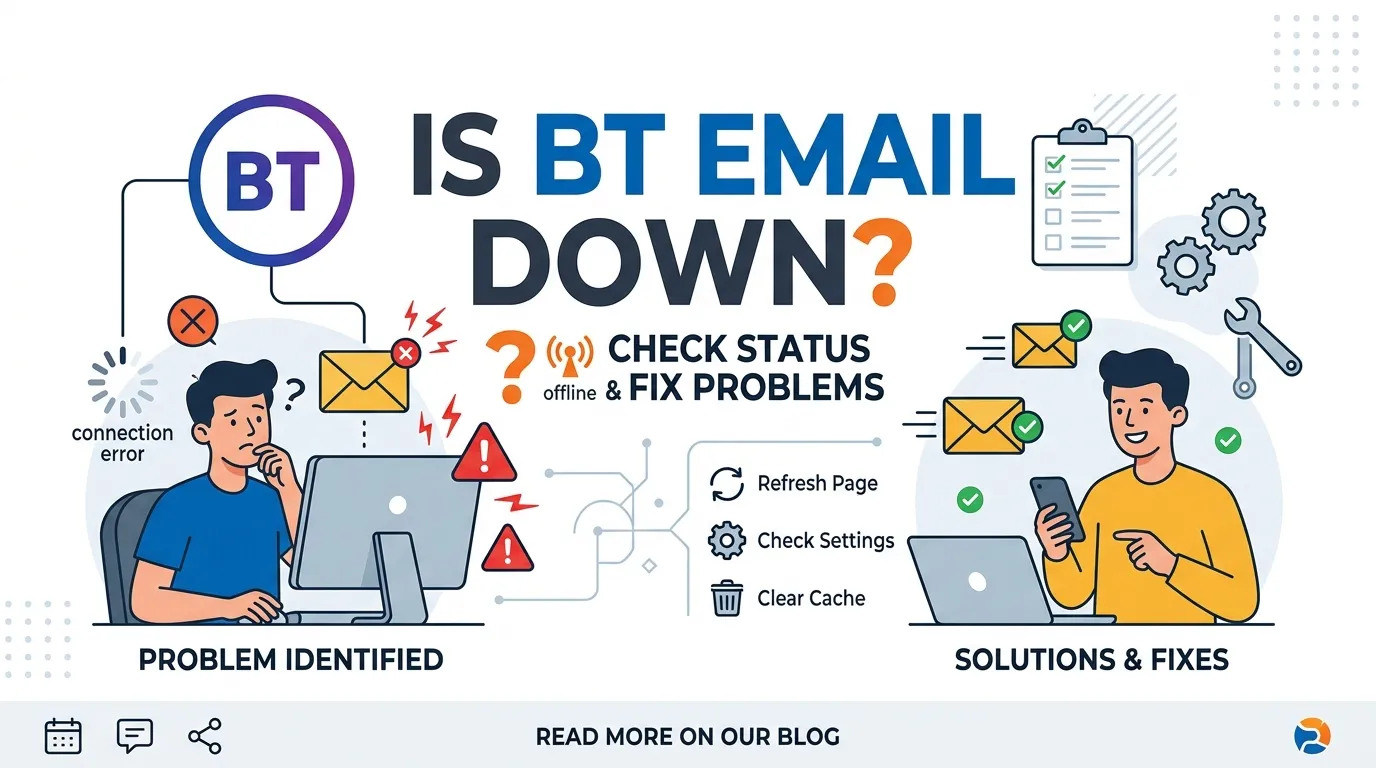
If you are searching “Is BT Email down?”, you may be unable to open BT Mail, send an email, receive new messages, or sign in to your BT account. A BT Email problem does not always mean that the whole BT email service is down. The issue could be caused by your password, email app, internet connection, browser, device settings, or a temporary BT service problem.
BT provides several troubleshooting options for email problems. You can try signing in through BT webmail, check your email settings, restart your device, check your internet connection and look at BT’s service status information. These steps can help you work out whether the problem is with BT Mail itself or with the way you are accessing it.
Check Your Internet Speed here.
Is BT Email Down Right Now?
If BT Mail is not working, the first question is whether the problem affects the BT email service or only your account or device.
Try opening BT Email through a web browser. If webmail works normally but Outlook, Apple Mail or another email application does not, the problem is more likely to be related to the app or its settings.
BT specifically recommends trying BT webmail when an email application cannot connect. If you can access your email through webmail, this can help identify whether the problem is with the email client rather than your BT account.
Quick BT Email Check
| Problem | Possible cause |
|---|---|
| BT Mail website will not open | Internet, browser or temporary service problem |
| Cannot log in | Username or password problem |
| Webmail works but Outlook does not | Email app/settings problem |
| Cannot send emails | SMTP settings, account or temporary service problem |
| Cannot receive emails | Account, connection or server problem |
| One device has a problem | Device or app issue |
| Several devices have the same problem | Account or BT service issue |
| Error 500 | Temporary server or connection problem |
| Error 522 | Security or connection issue |
| Account suspended | Inactivity or security-related issue |
These are general troubleshooting indicators rather than proof of a particular fault.
How Do I Check If BT Email Is Working?
Start by trying BT webmail.
If you normally use Outlook, Apple Mail, a phone app or another email program, open BT Email in your browser instead.
If webmail loads and you can send a test message, your BT account is probably accessible. The problem may be with your email application or its configuration.
BT recommends this exact type of comparison when troubleshooting email client problems.
Try Logging Into BT Email
If you cannot access BT Mail, check your login details carefully.
BT recommends checking:
- Your email address
- Your password
- Spelling
- Extra spaces
- Caps Lock
- Whether your password was recently changed
If you enter incorrect details repeatedly, BT may temporarily lock the account for security reasons.
If you have forgotten your password, use BT’s password recovery process rather than repeatedly guessing the password.
Why Is My BT Email Password Not Working?
There are several possible reasons.
The most common is an incorrect password.
Another common problem happens after you change your BT Email password. If Outlook, Apple Mail or your phone still has the old password saved, that application may repeatedly try to sign in with the old details.
BT says repeated login failures can cause the account to be locked temporarily. It recommends updating the password on devices and email programs after changing it.
What to Do After Changing Your Password
- Change or reset your BT Email password.
- Log in to BT webmail.
- Update the password on your phone.
- Update Outlook or another email application.
- Check tablets and other devices.
- Remove old account settings if necessary.
- Try sending and receiving a test email.
This is particularly important if an old phone, tablet or computer is still connected to your BT Email account.
Is BT Email Down or Is My Internet Down?
Your email service needs an internet connection.
If BT Mail will not load, check whether other websites work.
Open a few unrelated websites in your browser.
If none of them load, you may have a broadband or Wi-Fi problem rather than a BT Email problem.
If websites work normally but BT Mail does not, the issue could be related to BT Email, your account or your browser.
You can also use Speed Test UK to check your internet connection.
Test Your BT Internet Connection
Before assuming that BT Email is down, test your broadband connection.
You can use the Speed Test UK BT Broadband Speed Test to measure:
- Download speed
- Upload speed
- Ping
- General connection performance
BT Broadband Speed Test:
https://speedtestuk.com/bt-broadband-speed-test/
A speed test does not confirm that BT Email is down. Instead, it helps you determine whether your internet connection is working normally.
For example, if other websites load slowly and your speed test shows unusually poor performance, the email problem may be related to your internet connection.
If your broadband test looks normal but BT Mail still will not work, investigate the email service, account or application.
Why Can I Receive Emails but Not Send Them?
Sending and receiving email use different processes.
You may be able to receive messages while having a problem sending them.
If you use an email application such as Outlook or Apple Mail, incorrect outgoing mail settings can prevent messages from being sent.
BT’s current email guidance says SMTP authentication needs to be configured correctly for sending email through its servers.
If webmail can send messages normally but your email application cannot, check the application’s outgoing mail settings.
Why Can I Send Emails but Not Receive Them?
If you can send emails but new messages do not arrive, check several things.
Start with:
- Refresh your inbox.
- Log out and back into BT Mail.
- Check your spam or junk folder.
- Send yourself a test email.
- Check whether the sender used the correct email address.
- Try BT webmail instead of your email application.
- Check for a service problem.
BT recommends checking the spam or junk folder because legitimate messages can sometimes be placed there.
Why Is BT Mail Not Loading?
BT Email may fail to load because of:
- A temporary BT service problem
- Poor internet connection
- Browser problems
- Cached website data
- Cookies
- Device problems
- Account problems
- Security restrictions
BT’s current troubleshooting guidance recommends restarting your device, restarting your Hub when appropriate, logging out and back in, and clearing browser cache and cookies.
Try This Quick Fix
Close your BT Email tab.
Then:
- Close your browser.
- Reopen the browser.
- Visit BT Email.
- Sign in again.
- Try opening your inbox.
- Send yourself a test email.
If this does not work, try another browser or another device.
Does Clearing Cache Fix BT Email?
It can help when stored browser data is causing a page or session to behave incorrectly.
BT recommends clearing cache and cookies as one of its troubleshooting steps for email errors.
On Windows, many browsers allow you to open the clearing options with:
Ctrl + Shift + Delete
On a Mac, many browsers use:
Command + Shift + Delete
The exact options vary between browsers.
Remember that clearing cookies can sign you out of some websites.
What Does BT Email Error 500 Mean?
BT says an Error 500/505 can occur when an action takes too long or the service cannot complete the request.
It can appear when:
- Opening an email
- Adding an attachment
- Replying
- Forwarding
- Editing a draft
- Moving a folder
BT recommends logging out and logging back in. A temporary service problem can also cause this type of error.
If the error continues, check BT’s service status information and try again later.
What Does BT Email Error 522 Mean?
BT says Error 522 can appear when it detects an insecure connection or a connection associated with suspicious activity.
For example, this may happen when using:
- Public Wi-Fi
- An unfamiliar network
- A connection in another country
- A connection previously associated with suspicious activity
BT recommends switching to a secure and trusted connection and changing your password as a precaution.
Avoid entering your BT password on an untrusted or suspicious network.
What Does BT Email Error 530 Mean?
Error 530 generally relates to authentication when sending email through an email application.
BT says the outgoing mail server needs SMTP authentication.
Its current guidance lists these settings for outgoing BT email:
| Setting | BT information |
|---|---|
| Outgoing server | mail.btinternet.com |
| Port | 465 |
| Encryption | SSL |
| Authentication | Enabled |
| Username | Full BT email address |
| Password | BT Email password |
If you use Outlook or another email client, check its outgoing server settings carefully.
What Does BT Email Error 550 Mean?
Error 550 can have several causes.
BT explains that it can occur when:
- The recipient’s address is invalid.
- The sender address is not correctly authorised.
- SMTP authentication is not configured correctly.
Check the recipient’s email address first.
If the address is correct and you are still receiving an error, check your outgoing email settings.
What Does “Temporary Problem With Email” Mean?
If BT Mail says that it is experiencing a temporary problem, the issue may be with the BT Email service rather than your device.
BT’s current error guidance says that customers seeing a temporary email-service message should try again later and check the service status page for updates.
In this situation, repeatedly changing your password or reinstalling your email app may not solve the underlying problem.
Why Is BT Email Working on My Computer but Not My Phone?
If BT Mail works in a browser on your computer but not on your phone, the problem may be with the phone or email application.
Try:
- Open BT webmail on the phone.
- Sign in.
- Check whether your inbox loads.
- Send a test email.
- If webmail works, check your email app.
- Update the saved password if you recently changed it.
- Check the app’s account settings.
BT recommends testing webmail when an email app cannot connect because this helps separate account problems from application problems.
Why Is BT Email Not Working in Outlook?
If BT Email works through webmail but not Outlook, the problem may be related to Outlook’s configuration.
Possible causes include:
- Incorrect password
- Old saved password
- Incorrect incoming settings
- Incorrect outgoing settings
- SMTP authentication problems
- Corrupted account configuration
- Temporary connection problems
First, log into BT webmail.
If webmail works, focus on the Outlook setup rather than assuming BT Email itself is down. BT uses this same troubleshooting approach in its email help guidance.
Why Is BT Email Not Working in Apple Mail?
The same basic test applies to Apple Mail.
Try BT webmail first.
If webmail works but Apple Mail does not, check:
- Password
- Account details
- Incoming mail settings
- Outgoing mail settings
- SMTP authentication
- Internet connection
If you recently changed your BT password, make sure the new password is also saved in Apple Mail.
Could My BT Email Account Be Suspended?
Yes.
BT says an email address can be suspended if it has not been used for a period of time.
BT’s current guidance states that if an email address is not used for 90 days or more, it can be suspended. If it is not reactivated, BT says the address may eventually be closed and associated messages, contacts and calendar information deleted.
If you receive a warning about inactivity, log into your BT Email account and follow the instructions.
Could My BT Email Account Be Compromised?
It is possible.
BT says that if it detects suspicious activity, it may secure the account and ask you to change your password.
If BT tells you that your account has been compromised:
- Follow the security instructions.
- Change your password.
- Use a secure connection.
- Check your account activity.
- Update your password on trusted devices.
- Avoid sharing your password with anyone.
Never give your BT password or security code to someone who contacts you unexpectedly.
What If BT Email Says My Account Is Unavailable?
If BT Email displays an account-unavailable message, try logging out and signing in again.
BT’s error guidance says that if an account is currently unavailable, customers can try again later or log into BT through the main BT website. If the problem continues, contact BT for help.
The problem may be temporary, so avoid repeatedly changing account settings unless BT specifically asks you to do so.
What If My BT Email Address No Longer Exists?
This is different from a temporary outage.
BT’s current guidance says an email address may be deleted after suspension or for other account-related reasons. If an address has been deleted, BT says recovery may be possible in some situations, but old emails may not be recoverable.
If you receive a message saying that your email address no longer exists, follow BT’s account recovery guidance rather than simply creating another email address.
How Do I Check BT Email Service Status?
When BT Email is not working, check BT’s official service status information.
BT itself recommends checking its service status page when email problems may be related to a temporary service issue.
This is particularly useful when:
- Webmail will not load
- Several devices have the same problem
- You receive a temporary-service error
- Your normal login details are correct
- Your internet connection works normally
A service status check is more useful for identifying a wider service issue than simply repeatedly refreshing your inbox.
BT Email Down or BT Broadband Down?
It is important to separate these two problems.
| BT Email problem | BT Broadband problem |
|---|---|
| Other websites work normally | Other websites may also fail |
| BT Mail is the main problem | Multiple online services may be affected |
| Webmail may fail | Internet connection itself may be unavailable |
| Email app may have incorrect settings | Wi-Fi, Hub or broadband may be involved |
| Email-specific errors may appear | Hub or connection problems may appear |
If everything on the internet is slow or unavailable, test your broadband before concentrating only on BT Mail.
Why Use Speed Test UK When BT Email Is Not Working?
A BT Mail problem can sometimes be confused with an internet problem.
If your broadband connection is poor, websites and online services may load slowly, including BT Email.
The Speed Test UK BT Broadband Speed Test gives you a simple way to measure your connection.
You can compare:
- Download speed
- Upload speed
- Ping
- Performance near the router
- Performance in another room
- Results at different times
This can help you understand whether your BT Email problem is happening alongside a wider internet connection problem.
However, a speed test cannot confirm that BT Email itself is down. It only measures your internet connection.
When Should I Contact BT?
Contact BT if:
- You cannot access BT Email through webmail.
- Your login details are correct but access still fails.
- Your account appears suspended.
- You receive repeated service errors.
- Email remains unavailable after troubleshooting.
- Your account may have been compromised.
- You cannot send or receive messages across multiple devices.
Before contacting BT, write down any error code or message you see.
This can make troubleshooting easier.
What Should I Have Ready for BT Support?
If you need help, prepare:
- Your BT Email address
- Your BT account details
- The device you are using
- Your browser or email application
- The exact error message
- When the problem started
- Whether webmail works
- Whether other websites work
- Your speed test result, if relevant
Do not share your password publicly or include it in a support message unless you are using an official BT verification process that specifically requires it.
Frequently Asked Questions
Is BT Email down?
It may be a temporary BT Email service problem, but it could also be an account, password, browser, device or email-app problem. Try BT webmail and check BT’s service status information first.
Why is BT Mail not working today?
Possible reasons include a temporary service problem, incorrect login details, an account issue, browser problems, email-app settings or an internet connection problem.
How do I know if BT Email is down?
Try BT webmail on another device or browser and check BT’s service status information. If several devices have the same problem while other websites work normally, a BT Email service issue becomes one possible explanation.
Why can I not log into BT Email?
Check your email address and password, make sure Caps Lock is off and use BT’s password recovery process if necessary. Repeated incorrect login attempts can temporarily lock the account.
Why does BT Email work online but not in Outlook?
If BT webmail works but Outlook does not, the problem is likely related to the email application or its account settings. Check the saved password and outgoing SMTP settings.
Why is BT Email not sending emails?
Check your recipient address and outgoing mail settings. If you use an email application, make sure SMTP authentication is enabled and the correct BT server settings are being used.
Why is BT Email not receiving emails?
Check your internet connection, refresh the inbox, look in your spam folder and try BT webmail. If the problem continues across different devices, check for a BT service issue.
What does BT Email Error 500 mean?
BT says Error 500/505 can occur when an action takes too long or the service cannot complete a request. Logging out and back in can help, although temporary service problems can also cause the error.
What does BT Email Error 522 mean?
BT says Error 522 can be associated with an insecure or untrusted connection. Try a secure connection and consider changing your password if BT indicates a security concern.
Can BT Email stop working because I have not used it?
Yes. BT says an email address that has not been used for 90 days or more can be suspended.
Can I check my internet speed if BT Email is not working?
Yes. You can use Speed Test UK to measure your download speed, upload speed and ping. This helps determine whether you also have a broadband connection problem.
Conclusion
If you are searching “Is BT Email down?”, start with a few simple checks before assuming there is a BT-wide problem.
Try BT webmail, check your login details, test another device and look at BT’s service status information. If webmail works but Outlook or another email application does not, the problem is more likely to be related to the application’s settings.
If BT Mail and other websites are both having problems, check your broadband connection as well. A Speed Test UK test can show whether your internet connection is performing normally, although it cannot confirm an email-service outage.
For login problems, check your password carefully. If you recently changed it, update the password on every phone, tablet and email application that uses your BT account.
If the problem continues across multiple devices or you see a specific BT error message, use BT’s official help and support options for further assistance.
Select your broadband provider and check your internet speed with our
dedicated UK speed test.
Check your BT broadband speed. Check your EE broadband speed. Check your Sky broadband speed. Check your Virgin Media speed. Check your Vodafone broadband speed. Check your Plusnet broadband speed. Check your TalkTalk broadband speed. Check your Zen broadband speed.
Check your internet connection with our fast and easy-to-use testing tools.
UK Broadband Provider Speed Tests
BT Broadband
EE Broadband
Sky Broadband
Virgin Media
Vodafone UK
Plusnet
TalkTalk
Zen Internet
Popular Speed Test Tools