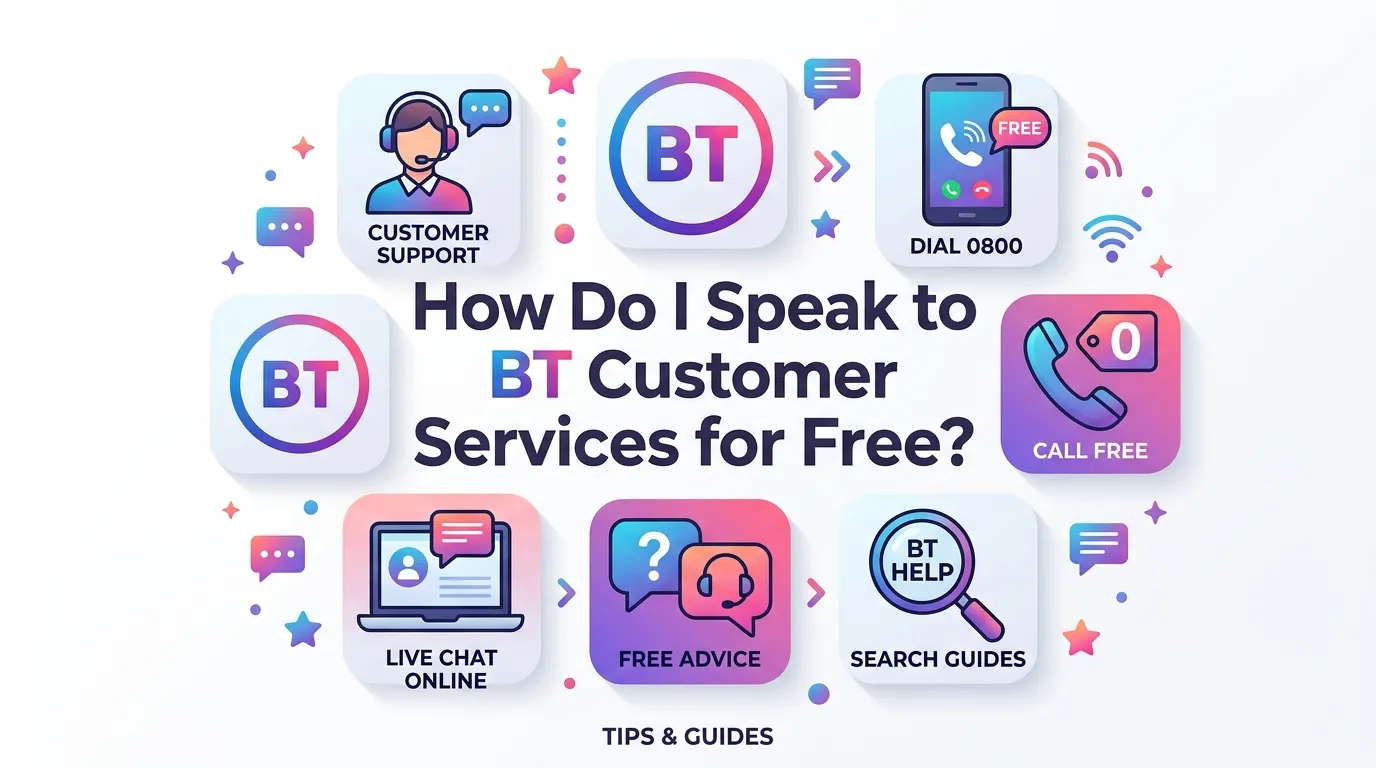
If you are searching “How do I speak to BT customer services for free?”, there are several ways to get help without paying a separate premium-rate customer service charge. BT provides online help and customer support for home and business customers, and its current contact information lists 0330 1234 150 for home customers.
The important thing is to use the correct BT contact method for your problem. You may not need to make a phone call at all. For some problems, BT’s online help, troubleshooting tools, account area or online chat can be quicker than waiting for an adviser.
Check Your Internet Speed Here.
Can I Speak to BT Customer Services for Free?
Yes. BT states that calls to 0330 1234 150 are free from BT/EE landlines and BT/EE mobiles, while calls from other phones are charged at the caller’s standard rate.
This means “free” depends partly on the phone you use.
| Calling method | Potential cost |
|---|---|
| BT/EE home phone | Free |
| BT/EE mobile | Free |
| Other UK mobile | Usually your operator’s standard rate |
| Other home phone | Your operator’s standard rate may apply |
| Online BT help | No phone call charge |
| BT online chat, where available | No phone call charge |
Before calling, check your mobile or phone provider’s terms if you are using a network other than BT or EE.
What Is BT Customer Services’ Phone Number?
For BT home customers, BT’s current contact page lists:
0330 1234 150
BT lists a separate number for business customers:
0800 800 152
If you are a residential broadband customer, the home customer number is the relevant starting point for general BT support.
It is better to check BT’s official contact page before calling because telephone numbers, opening hours and support routes can change.
Can I Call BT From a BT Mobile for Free?
BT states that calls to 0330 1234 150 are free from BT/EE mobiles.
If you have a BT or EE mobile, this can be one of the simplest ways to contact BT without a separate call charge.
If you are calling from another mobile network, your operator may treat the number as a standard-rate call.
Can I Contact BT Without Making a Phone Call?
Yes.
BT provides online customer service and help options through its website. Its contact page directs customers to online customer service help and support.
Online support can be useful if:
- Your broadband is not working
- Your Wi-Fi is slow
- You need help with your account
- You have a billing question
- You want to troubleshoot a fault
- You need information about your BT service
Using online support also avoids any possible telephone charges from a non-BT phone.
Does BT Have Online Chat?
BT provides online chat as one of its support options for relevant services.
The availability of chat and the hours can depend on the service or support area you are contacting.
If chat is available for your issue, it can be useful because you can explain the problem without making a phone call.
Before starting a chat, have your BT account details ready.
What Should I Do Before Calling BT?
You can often save time by doing a few checks first.
Write down:
- Your BT account number
- The phone number linked to your account
- Your name and address
- The problem you are experiencing
- When the problem started
- Any error messages
- Your BT Hub light status
- Your latest internet speed test result
BT’s complaints guidance also says customers may need to provide their account number and the phone number linked to their service when making a complaint.
Having this information ready can make the conversation easier.
Can I Check My BT Internet Before Calling Customer Services?
Yes, and this is especially useful if you are calling because your broadband seems slow.
Use Speed Test UK to measure your internet connection before contacting BT.
You can check:
- Download speed
- Upload speed
- Ping
- Connection performance
BT Broadband Speed Test:
https://speedtestuk.com/bt-broadband-speed-test/
Run the test more than once if your connection is unstable.
For example, test your connection:
- Near the BT Hub.
- In the room where you normally use the internet.
- At different times of day.
- On another device if possible.
A speed test does not prove that BT has an outage, but it gives you useful information about how your connection is performing.
Why Should I Test My BT Broadband Before Contacting BT?
A speed test can help you describe the problem more clearly.
For example, saying:
“My internet feels slow”
does not provide much information.
Instead, you can explain that your connection measured a particular download speed, upload speed and ping.
You can also compare the result with the speed you normally receive.
This can help you understand whether the problem may be related to broadband performance, Wi-Fi coverage or a particular device.
What If My BT Wi-Fi Is Not Working?
If your problem is specifically Wi-Fi, check the basics before calling.
Try:
- Check another device.
- Check the BT Hub lights.
- Restart your device.
- Restart your BT Hub.
- Move closer to the Hub.
- Test the internet again.
- Try an Ethernet connection if available.
If only one phone or laptop is affected, the problem may be with that device rather than your BT broadband service.
If every device is offline, the problem may be related to the Hub, broadband connection or service.
You can also read our guide:
Is BT Wi-Fi Down? How to Check and Fix BT Wi-Fi Problems
What If My BT Broadband Is Completely Down?
If your BT broadband has stopped working completely, use BT’s online troubleshooting service before calling if possible.
BT says its broadband troubleshooter can test the connection and, when a problem cannot be fixed online, help arrange an engineer appointment.
You should also check the lights on your BT Hub.
For example, BT’s Hub guidance explains that a solid orange light on relevant Hub models indicates that the Hub is working but is not connected to the internet.
If the problem continues after basic troubleshooting, contacting BT is appropriate.
Is 0330 1234 150 a Free Number?
It can be free depending on the phone you use.
BT’s legal information states that calls to 0330 1234 150 are free from BT/EE landlines and BT/EE mobiles, while calls from other phones are charged at the operator’s standard rate.
The number is therefore different from a premium-rate number.
However, do not assume that every phone provider will treat the call in exactly the same way. Check your own phone plan if you are unsure.
Can I Call BT Customer Services From Outside the UK?
If you are outside the UK, BT lists:
+44 150 174 7714
for customers calling internationally in relevant circumstances.
International calls may have charges depending on the country and phone provider.
If you are abroad, check your mobile operator’s international calling rates before making a long call.
Can I Contact BT About a Broadband Fault?
Yes.
If your BT broadband is not working or has a technical problem, you can use BT’s online help and troubleshooting services.
You may also contact BT customer services.
Before contacting BT, check:
| Check | Why it helps |
|---|---|
| BT Hub lights | Shows possible Hub/connection status |
| Another device | Identifies device-specific problems |
| Wi-Fi connection | Shows whether wireless is working |
| Ethernet connection | Helps separate Wi-Fi from broadband |
| Speed test | Measures connection performance |
| Restart Hub | Can resolve temporary connection problems |
| BT online troubleshooting | Can test the service |
This preparation can make it easier to explain exactly what is wrong.
Can I Contact BT About a Bill?
Yes.
If you have a question about your BT bill, account or payment, you can use BT’s customer service options.
You can also log into your BT account to review account and billing information.
If you are having difficulty paying your bill, BT says support may include discussing payment arrangements or additional time to pay, depending on the circumstances.
If money is the reason you are contacting BT, explain your situation clearly rather than ignoring the bill.
What If I Want to Make a Complaint to BT?
If normal customer service has not resolved your problem, BT has a complaints process.
BT’s complaints code says home and mobile customers can visit its complaints service, call 0330 123 4150, or use other listed complaint routes.
You should keep:
- Previous case numbers
- Dates of calls
- Names or adviser details where provided
- Emails
- Chat transcripts
- Copies of relevant bills
This information can be useful if you need to explain what has already happened.
Is There a Difference Between BT Customer Service and BT Technical Support?
Yes, although the support routes can overlap.
Your problem determines what type of help you need.
| Problem | Useful support |
|---|---|
| Broadband not working | BT broadband support |
| Wi-Fi problem | BT Wi-Fi troubleshooting |
| Slow internet | Speed test + technical support |
| Bill question | BT account/billing support |
| Contract question | BT customer service |
| Cancellation | BT customer service |
| Digital Voice problem | BT home phone/Digital Voice support |
| Complaint | BT complaints process |
Choosing the right support route can reduce the time spent explaining your issue.
How Do I Speak to a Real Person at BT?
If you want to speak to a BT adviser, start with BT’s official customer service route.
For home customers, BT currently lists 0330 1234 150.
You may first go through automated options before reaching an adviser.
To make the process easier:
- Have your account information ready.
- Explain the problem in one or two sentences.
- Tell the adviser what troubleshooting you have already tried.
- Give your speed test results if your issue is broadband performance.
- Keep any reference number provided.
Do not share passwords or security information publicly.
What Information Should I Avoid Sharing?
Be careful with personal and account information.
Do not post your:
- BT account password
- Online banking password
- Full payment card details
- One-time security codes
- Authentication codes
Only provide information through official BT channels when required for account verification.
If you receive a suspicious message claiming to be from BT, verify it using BT’s official contact methods rather than using a number contained in an unexpected message.
How Can I Avoid Calling the Wrong BT Number?
The safest approach is to start from BT’s official contact page.
BT’s current contact page separates home customers and business customers, so choose the category that matches your account.
This is particularly important because old BT phone numbers can still appear on third-party websites, forums and older documents.
A number published several years ago may no longer be the best route for your particular service.
Can I Speak to BT Customer Services for Free About Digital Voice?
Yes, BT provides support for Digital Voice.
BT currently directs customers to 0330 1234 150 for relevant Digital Voice support.
Digital Voice uses your broadband connection for home phone service, so broadband and phone problems can sometimes be connected.
If you have Digital Voice and your phone is not working, check your broadband connection and Smart Hub as well as the phone itself.
What If My BT Phone Does Not Work During a Broadband Problem?
BT Digital Voice is delivered through your broadband connection.
BT advises Digital Voice customers to keep a fully charged mobile phone available as a backup. It also provides additional support options for some customers who may need extra assistance during an outage.
If your home phone and broadband stop working together, tell BT that both services are affected.
Frequently Asked Questions
How do I speak to BT customer services for free?
For BT home customers, the current customer service number is 0330 1234 150. BT says calls are free from BT/EE landlines and BT/EE mobiles, while other operators may charge their standard rate.
What is the BT customer service number?
BT currently lists 0330 1234 150 for home customers and 0800 800 152 for business customers.
Is 0330 1234 150 free from a mobile?
BT says calls to this number are free from BT/EE mobiles. Other mobile operators may charge according to their standard rates.
Can I contact BT online for free?
Yes. BT provides online customer service and help options, including troubleshooting and other support routes.
Can I speak to BT without calling?
Yes. Depending on your issue, you can use BT’s online help, account services, troubleshooting tools and available online chat options.
How can I contact BT about broadband problems?
You can start with BT’s online broadband troubleshooting service. If the problem cannot be resolved, you can contact BT customer services for further help.
Should I run a speed test before calling BT?
It can be useful. A speed test gives you information about download speed, upload speed and ping, which can help you describe a slow or unstable connection.
What should I have ready before contacting BT?
Have your BT account information, the phone number linked to the service, details of the problem and any troubleshooting or speed-test results ready.
Can I contact BT if I cannot afford my bill?
Yes. BT says customers experiencing financial difficulty can contact it to discuss available support, which may include payment arrangements or additional time to pay depending on the circumstances.
How do I complain to BT?
BT provides a complaints process for home and mobile customers. Its complaints code lists online, phone and other contact options.
Conclusion
If you are asking “How do I speak to BT customer services for free?”, the simplest starting point for a BT home customer is 0330 1234 150. BT states that calls to this number are free from BT/EE landlines and BT/EE mobiles, while other operators may charge their standard rate.
You do not always need to call. BT also provides online help and troubleshooting services, which can be useful for broadband, Wi-Fi, account and service problems.
If your reason for contacting BT is slow internet, run a Speed Test UK test first. Knowing your download speed, upload speed and ping can give you useful information before you contact support.
For the latest BT contact details, always check BT’s official contact page because customer service routes can change.
Select your broadband provider and check your internet speed with our
dedicated UK speed test.
Check your BT broadband speed. Check your EE broadband speed. Check your Sky broadband speed. Check your Virgin Media speed. Check your Vodafone broadband speed. Check your Plusnet broadband speed. Check your TalkTalk broadband speed. Check your Zen broadband speed.
Check your internet connection with our fast and easy-to-use testing tools.
UK Broadband Provider Speed Tests
BT Broadband
EE Broadband
Sky Broadband
Virgin Media
Vodafone UK
Plusnet
TalkTalk
Zen Internet
Popular Speed Test Tools