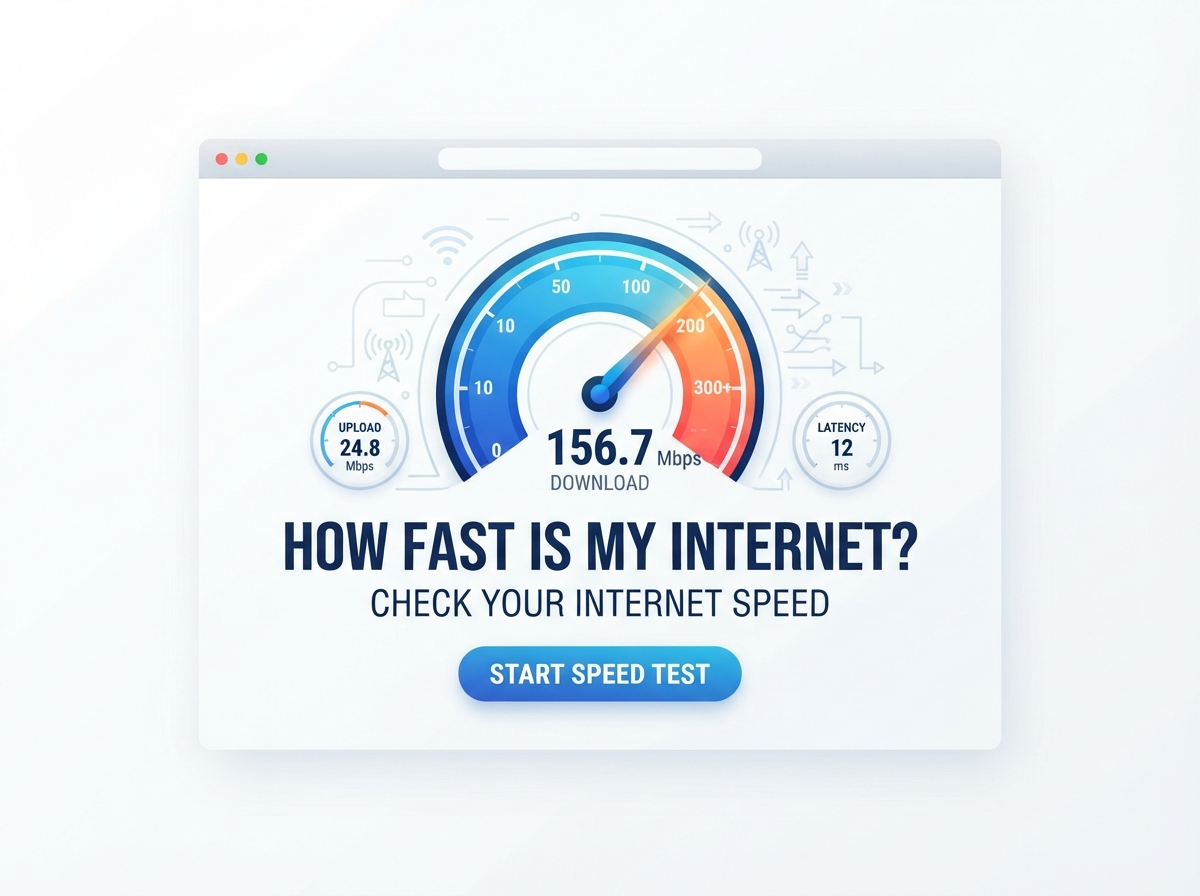
If you have ever wondered, “How fast is my internet?”, you can find the answer in just a few seconds with an internet speed test.
Your internet connection may feel fast when you open websites, but that does not always tell you the real speed of your broadband. A speed test can measure your download speed, upload speed, ping, and sometimes jitter.
For people in the UK, checking your broadband speed can be useful when your connection feels slow, videos keep buffering, online games lag, or downloads take too long.
On this page, you can use our Internet Speed Test to check your connection and learn what your results mean.
How Fast Is My Internet?
The easiest way to find out how fast your internet is is to run an internet speed test.
An internet speed test normally measures three important things:
| Test | What it means |
|---|---|
| Download speed | How quickly data comes to your device |
| Upload speed | How quickly data goes from your device to the internet |
| Ping | How quickly your connection responds |
| Jitter | How much ping changes over time |
Download and upload speeds are usually measured in Mbps, which means megabits per second.
For example, if your speed test shows 100 Mbps download, your connection can receive data at a rate of around 100 megabits per second under the test conditions.
Your actual experience can be different because of Wi-Fi signal strength, network traffic, the device you use, the website or service you connect to, and other factors.
How to Check My Internet Speed
Checking your internet speed is simple.
Step 1: Open an Internet Speed Test
Open our internet speed test tool on your phone, tablet, laptop, or desktop computer.
Step 2: Stop Other Internet Activity
For a more useful result, pause downloads, streaming, cloud backups, and other heavy internet activity.
If several people are using the same connection, their activity can also affect the result.
Step 3: Start the Test
Click the Start or Go button on the speed test.
The tool will connect to a test server and measure your connection.
Step 4: Check Your Results
Look at your:
- Download speed
- Upload speed
- Ping
- Jitter, if available
Step 5: Test More Than Once
One test is only a snapshot.
Run the test two or three times at different times of the day if you want a better idea of your normal broadband performance.
What Does Internet Speed Mean?
Internet speed describes how quickly data can move between your device and the internet.
There are two main speeds you will see in most speed tests.
Download speed is how quickly information comes to your device.
Upload speed is how quickly information is sent from your device to the internet.
For example:
- Watching Netflix uses download speed.
- Downloading a game uses download speed.
- Sending photos uses upload speed.
- Uploading a YouTube video uses upload speed.
- Video calls use both download and upload speed.
What Is a Good Internet Speed in the UK?
There is no single internet speed that is perfect for everyone.
The right speed depends on how many people use your connection and what they do online.
Here is a simple guide:
| Internet speed | Suitable for |
|---|---|
| Under 10 Mbps | Basic browsing and light internet use |
| 10–25 Mbps | Browsing, email and light streaming |
| 25–50 Mbps | HD streaming and normal household use |
| 50–100 Mbps | Streaming, gaming and several connected devices |
| 100–300 Mbps | Busy households and 4K streaming |
| 300–500 Mbps | Large households and heavy internet use |
| 500 Mbps–1 Gbps | Very heavy use, large downloads and many devices |
| 1 Gbps+ | High-demand homes and very fast downloads |
These are general guidelines rather than fixed requirements. A household may work perfectly well with a lower speed, while another household may need much more.
What Is a Good Download Speed?
A good download speed depends on what you do online.
For simple activities such as browsing websites and checking email, you may not need a very fast connection.
Streaming, downloading large files, gaming, and using several devices at the same time can require more bandwidth.
| Activity | General download speed guidance |
|---|---|
| Email and web browsing | 5–10 Mbps |
| Social media | 5–10 Mbps |
| HD video streaming | 5–10 Mbps per stream |
| 4K video streaming | Around 25 Mbps per stream |
| Online gaming | Around 10–25 Mbps can be enough |
| Large downloads | Faster is better |
| Several people streaming | 50–100+ Mbps |
| Busy family home | 100 Mbps or more may be useful |
Speed is not the only factor for gaming or video calls. Ping, jitter, Wi-Fi quality, and connection stability also matter.
What Is a Good Upload Speed?
Upload speed matters when you send information from your device to the internet.
You may notice upload speed when:
- Uploading photos
- Sending large files
- Joining video meetings
- Streaming live video
- Backing up files to the cloud
- Uploading videos
A basic internet user may not need much upload speed, while someone who works from home or regularly uploads large files may benefit from a faster connection.
| Upload speed | General use |
|---|---|
| 1–5 Mbps | Basic uploads and messages |
| 5–10 Mbps | Video calls and normal file uploads |
| 10–25 Mbps | Regular work-from-home use |
| 25–50 Mbps | Larger files and frequent uploads |
| 50 Mbps+ | Heavy uploading and content creation |
The amount of upload speed you need depends on the type and size of files you send and how many people are using the connection.
What Is Ping?
Ping measures the response time between your device and a test server.
It is normally measured in milliseconds (ms).
Lower ping generally means a quicker response.
This is especially important for:
- Online gaming
- Video calls
- Live communication
- Remote desktop use
- Other activities where quick responses matter
A connection can have a high download speed but still have poor responsiveness if latency is high.
What Is Jitter?
Jitter measures changes in latency.
For example, imagine your ping normally stays around 20 ms but sometimes jumps to 80 ms or 100 ms. That variation can contribute to an unstable experience.
High jitter can be noticeable during:
- Online gaming
- Voice calls
- Video calls
- Live streaming
- Other real-time activities
That is why a good internet speed test can provide more useful information than download speed alone.
Why Is My Internet Slower Than Expected?
There are several reasons why your internet may be slower than the speed you expect.
Wi-Fi Signal
If you are far from your router, walls and other objects can weaken the Wi-Fi signal.
Try testing near the router to see whether the result changes.
Too Many Connected Devices
Phones, smart TVs, computers, tablets, cameras, consoles, and other devices can all use your connection.
Heavy activity on several devices may reduce the speed available to your device.
Network Congestion
Your internet connection may perform differently at busy times.
Testing at different times can help you understand whether the slowdown is temporary or happens regularly.
Old Router
Older routers may not provide the same Wi-Fi performance as newer equipment.
However, replacing a router will not automatically increase the speed provided by your broadband service.
Device Limitations
An older phone, computer, Wi-Fi adapter, or network card may limit the speed you can achieve.
VPN Use
A VPN can sometimes reduce speed because your traffic travels through an additional server.
Try testing with and without your VPN if you want to compare the difference.
Why Is My Wi-Fi Speed Different From My Broadband Speed?
Your broadband connection and Wi-Fi connection are not exactly the same thing.
Your broadband service connects your home to your internet provider’s network. Your router then distributes that connection around your home, often through Wi-Fi.
For example, your broadband line might be capable of 300 Mbps, but your phone may receive less over Wi-Fi because of distance, interference, device limitations, or router performance.
This is why it can be useful to compare:
- A test close to the router.
- A test in the room where you normally use the internet.
- A wired test using Ethernet, where possible.
How to Get a More Accurate Internet Speed Test
Follow these tips when testing your connection.
| Tip | Why it helps |
|---|---|
| Use a modern browser | Helps the test run correctly |
| Close other downloads | Reduces competing traffic |
| Stop video streaming | Frees bandwidth |
| Test near the router | Reduces Wi-Fi distance problems |
| Try Ethernet | Helps remove Wi-Fi variables |
| Test several times | Gives a better picture |
| Test at different times | Shows possible time-based changes |
For the most useful comparison, keep the testing conditions similar.
Should I Test My Internet on Wi-Fi or Ethernet?
Both can be useful.
Wi-Fi testing tells you what speed your device is getting through your wireless network.
Ethernet testing can give you a better idea of the connection between your broadband service and your router/device because it removes many Wi-Fi-related variables.
If your Ethernet result is much faster than your Wi-Fi result, the issue may be related to your wireless network rather than the broadband line itself.
How Often Should I Test My Internet Speed?
You do not need to test your internet every day.
You may want to run a test when:
- Your internet suddenly feels slow.
- Videos keep buffering.
- Online games have lag.
- Video calls are unstable.
- Downloads are taking too long.
- You have upgraded your broadband package.
- You want to compare Wi-Fi performance in different rooms.
If you are investigating a problem, take several tests over different times rather than relying on one result.
Does Internet Speed Change During the Day?
It can.
Your speed test result may change depending on network conditions, Wi-Fi use, other devices, and the test server.
For example, you may get a different result in the morning compared with the evening.
If your connection seems slow at a particular time, test it during that period and compare the result with a quieter time.
How Much Internet Speed Do I Need?
The answer depends on your household.
A person who mainly checks email and browses websites does not need the same connection as a family that streams 4K video, works from home, plays online games, and uploads large files.
Consider these questions:
- How many people use the internet?
- How many devices are connected?
- Do you stream HD or 4K video?
- Do you play online games?
- Do you work from home?
- Do you upload large files?
- Do you use cloud backups?
- Do several people use the connection at the same time?
The more simultaneous activity you have, the more useful higher bandwidth can become.
Internet Speed vs Broadband Speed
People often use internet speed and broadband speed to mean the same thing.
Broadband speed usually refers to the speed provided by your broadband connection.
An internet speed test measures the performance your device experiences when communicating with a test server.
The result can therefore be affected by more than your broadband package.
Your Wi-Fi, device, router, network conditions, and test server can all influence the measured result.
What Should I Do If My Speed Test Result Is Low?
First, do not assume that one low result means your broadband service is faulty.
Try these steps:
- Restart your router.
- Move closer to the router.
- Disconnect devices that are not being used.
- Stop downloads and streaming.
- Test again.
- Test using Ethernet if possible.
- Test at different times.
- Compare your result with the speed included in your broadband package.
If you consistently receive speeds that are much lower than expected, contact your internet provider and ask them to investigate the connection.
Does a Faster Internet Speed Always Mean Better Internet?
Not necessarily.
A higher download speed can make large downloads and high-quality streaming easier, but speed is only one part of connection quality.
For some activities, latency, jitter, packet loss, Wi-Fi coverage, and reliability can be just as important.
For example, an online gamer may care about ping and stability as well as download speed.
Someone downloading a large file may care more about download bandwidth.
Internet Speed Test Results Explained
After running a test, you may see several numbers.
Download
This shows how quickly data is downloaded to your device.
Higher download speed can help with large downloads, streaming, and using several devices.
Upload
This shows how quickly data is sent from your device.
It is important for video calls, cloud backups, live streaming, and uploading files.
Ping
This measures response time.
Lower values are generally better for activities that need quick responses.
Jitter
This shows how much latency changes.
Lower and more stable jitter is generally useful for real-time applications.
Quick Internet Speed Guide
Here is a simple way to understand common speed ranges:
| Speed | General experience |
|---|---|
| 1–10 Mbps | Basic use |
| 10–25 Mbps | Light to normal use |
| 25–50 Mbps | Comfortable use for many individuals |
| 50–100 Mbps | Good for many households |
| 100–300 Mbps | Suitable for busy homes |
| 300–500 Mbps | High-speed home use |
| 500 Mbps–1 Gbps | Very high-speed connection |
| 1 Gbps+ | Extremely high bandwidth |
These ranges are only a general guide. Your actual needs depend on the number of users, devices, and activities.
Frequently Asked Questions
How fast is my internet?
You can find out by using an internet speed test. The test normally measures download speed, upload speed, ping, and sometimes jitter.
What is a good internet speed in the UK?
There is no single speed that is good for every UK household. Basic users may need much less bandwidth than large families using several devices for streaming, gaming, work, and downloads.
Is 100 Mbps fast enough?
For many households, 100 Mbps can provide enough bandwidth for browsing, streaming, video calls, gaming, and several connected devices. Your actual needs depend on simultaneous usage.
Is 50 Mbps fast enough for Netflix?
50 Mbps is generally more than enough bandwidth for normal streaming, but your experience can also depend on the number of streams, other household activity, Wi-Fi quality, and the streaming service.
Is 10 Mbps fast enough?
10 Mbps can be enough for basic browsing, email, messaging, and some streaming. It may feel limited when several people or devices use the connection at the same time.
What is a good download speed?
A good download speed depends on your online activities. Basic users can work with lower speeds, while households with multiple users, 4K streaming, gaming, and large downloads may benefit from faster broadband.
What is a good upload speed?
A good upload speed depends on how much data you send online. Basic users may need only a small amount, while remote workers, content creators, and people uploading large files may benefit from higher upload speeds.
Why is my internet speed slower on Wi-Fi?
Wi-Fi speed can be affected by distance from the router, walls, interference, other connected devices, router performance, and your device’s wireless hardware.
Does restarting my router improve internet speed?
Restarting your router can sometimes resolve temporary connection problems, but it does not permanently increase the speed included with your broadband service.
Should I test my internet speed more than once?
Yes. Testing several times can give you a better idea of your normal connection speed. Testing at different times can also show whether performance changes during the day.
Important Points to Remember
- Use an internet speed test to check your actual connection.
- Download speed measures data coming to your device.
- Upload speed measures data going from your device to the internet.
- Ping measures response time.
- Jitter measures changes in latency.
- Wi-Fi speed can be different from your broadband line speed.
- One speed test does not always show your normal performance.
- Test more than once if you are investigating a problem.
- Ethernet can help you compare your broadband connection without many Wi-Fi variables.
- Your ideal internet speed depends on your household and online activities.
Conclusion
If you are asking “How fast is my internet?”, the quickest answer is to run an internet speed test.
Your result can tell you more than just one number. Check your download speed, upload speed, ping, and jitter to get a better picture of your connection.
If your result is lower than expected, test again under different conditions. Try testing near your router, stop other internet activity, and use an Ethernet connection if possible.
Remember that the best internet speed for you depends on how you use your connection. A person who mainly browses the web may need far less speed than a busy UK household with several people streaming, gaming, working from home, and downloading large files.
Popular Speed Test Tools
Check your internet connection with our fast and easy-to-use testing tools.