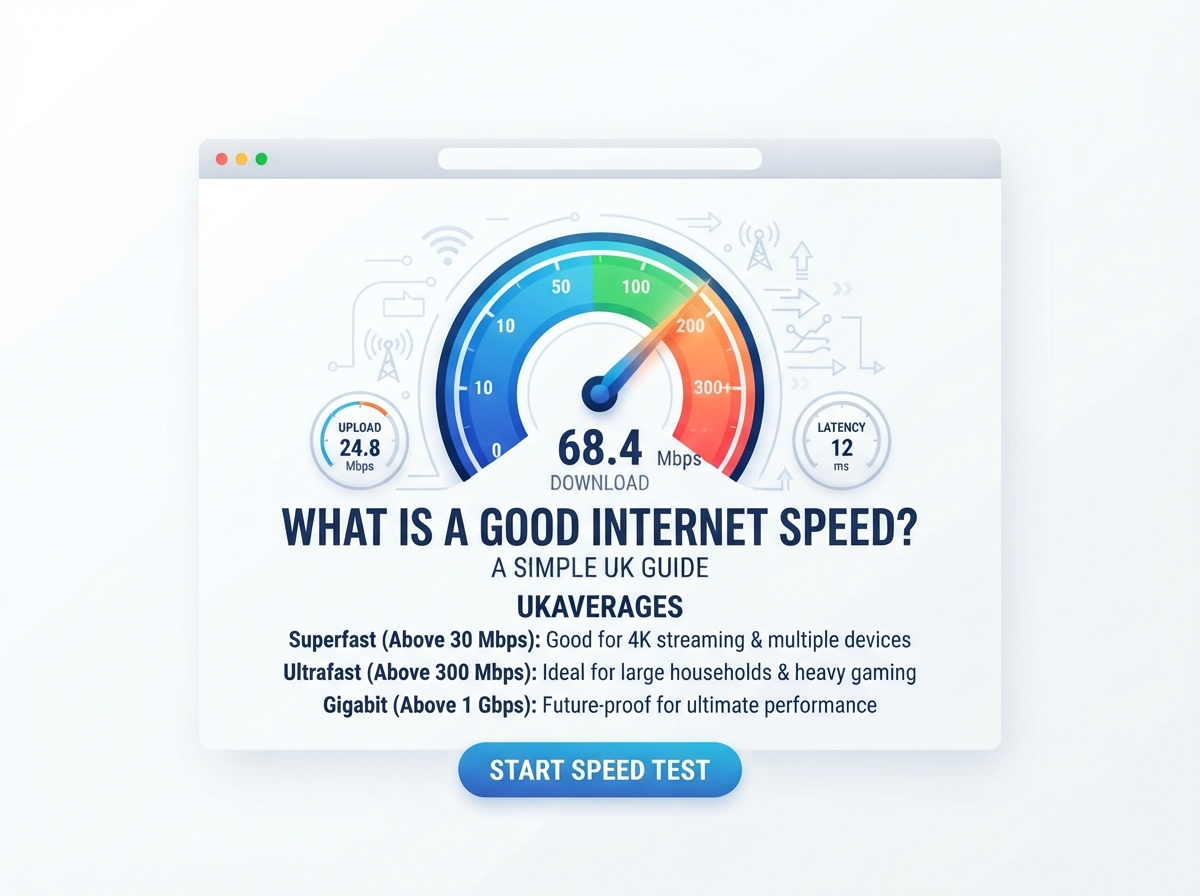
A good internet speed depends on how you use the internet, how many people live in your home, and how many devices are connected at the same time.
For one person who mainly checks email and browses websites, a basic broadband connection may be enough. A busy family that streams video, plays online games, works from home, and downloads large files may need much more speed.
The easiest way to check your current connection is to use an internet speed test. It can show your download speed, upload speed, ping, and sometimes jitter.
This guide explains what a good internet speed means, how much speed different activities need, and how to understand your broadband speed test results in the UK.
What Is a Good Internet Speed?
There is no single internet speed that is considered good for everyone.
As a simple guide:
| Download speed | General use |
|---|---|
| Under 10 Mbps | Basic browsing and email |
| 10–25 Mbps | Light streaming and everyday use |
| 25–50 Mbps | Good for many individual users |
| 50–100 Mbps | Good for many homes |
| 100–300 Mbps | Suitable for busy households |
| 300–500 Mbps | High-speed home use |
| 500 Mbps–1 Gbps | Heavy household use |
| 1 Gbps+ | Very high-speed internet |
These are general guidelines. Your ideal speed depends on your household and online activities.
For many people, 100 Mbps can provide plenty of bandwidth for everyday home use, but some homes may need less or more.
What Internet Speed Do I Need?
Your required speed depends on what you do online.
For example, checking email does not require the same bandwidth as downloading a large game or streaming several 4K videos.
Here is a simple guide:
| Online activity | Suggested download speed |
|---|---|
| 1–5 Mbps | |
| Web browsing | 5–10 Mbps |
| Social media | 5–10 Mbps |
| Standard video streaming | 3–5 Mbps |
| HD streaming | Around 5–10 Mbps |
| 4K streaming | Around 25 Mbps per stream |
| Video calls | Around 5–10 Mbps |
| Online gaming | Around 10–25 Mbps |
| Large file downloads | Faster is better |
| Several users at once | 50–100+ Mbps |
These figures are practical guidelines, not strict requirements.
The number of people using your connection at the same time is also important.
Is 25 Mbps a Good Internet Speed?
25 Mbps can be enough for a person or small household with moderate internet use.
It can support activities such as:
- Web browsing
- Social media
- HD video streaming
- Video calls
- Light online gaming
However, several demanding activities at the same time can use most of the available bandwidth.
For example, if one person is watching HD video while another is downloading a large file and another is using a video call, a faster connection may provide more room.
Is 50 Mbps a Good Internet Speed?
50 Mbps can be a useful speed for everyday home internet.
It may be suitable for:
- Streaming
- Browsing
- Video calls
- Online gaming
- Working from home
- Several connected devices
The actual experience depends on how many people are using the connection simultaneously.
A single user may find 50 Mbps more than enough, while a larger household may want a faster connection.
Is 100 Mbps a Good Internet Speed?
100 Mbps is a common high-speed broadband level and can be suitable for many households.
With 100 Mbps, you can generally have enough bandwidth for activities such as:
- HD and 4K streaming
- Video calls
- Online gaming
- Social media
- Web browsing
- Work from home
- Large downloads
- Multiple connected devices
However, internet speed is not the only factor that affects performance.
A poor Wi-Fi signal can make a 100 Mbps broadband connection feel much slower on a particular device.
Is 200 Mbps a Good Internet Speed?
200 Mbps provides more bandwidth than many basic households need.
It can be useful for homes with several people who use the internet at the same time.
For example:
- One person can stream video.
- Another can join a video meeting.
- Someone else can play an online game.
- Other devices can continue using the internet.
The benefit of higher speed becomes more noticeable when several demanding activities happen at the same time.
Is 500 Mbps a Good Internet Speed?
500 Mbps is a very fast home broadband connection.
It can be useful for large households, heavy downloaders, content creators, and homes with many connected devices.
At this speed, the limiting factor may be something other than your broadband connection.
For example, your Wi-Fi equipment, device hardware, Ethernet connection, or the server you are downloading from may limit the speed you actually see.
Is 1 Gbps a Good Internet Speed?
1 Gbps means 1,000 Mbps.
This provides a very large amount of bandwidth for a home connection.
It can be useful for:
- Large households
- Many connected devices
- Large file downloads
- Frequent uploads
- 4K streaming
- Heavy cloud usage
- Content creation
- Other high-bandwidth activities
However, a 1 Gbps package does not mean every device will always receive 1 Gbps.
Your router, Wi-Fi standard, device, network conditions, and test server can affect the measured speed.
What Is a Good Download Speed?
Download speed is the rate at which data is transferred from the internet to your device.
You use download speed when you:
- Watch videos
- Open websites
- Download apps
- Download games
- Receive files
- Browse social media
- Listen to online music
A faster download speed can make large downloads and high-quality streaming easier.
| Download speed | Suitable for |
|---|---|
| 5 Mbps | Basic internet use |
| 10 Mbps | Browsing and light streaming |
| 25 Mbps | HD streaming and everyday use |
| 50 Mbps | More demanding home use |
| 100 Mbps | Many households |
| 300 Mbps | Busy households |
| 500 Mbps | Heavy use |
| 1 Gbps | Very high bandwidth needs |
What Is a Good Upload Speed?
Upload speed is the rate at which data travels from your device to the internet.
Upload speed is important when you:
- Send large files
- Upload videos
- Back up files
- Join video meetings
- Live stream
- Upload photos
- Use cloud services
For normal browsing, upload speed may not seem very important.
For remote workers, content creators, streamers, and people who regularly upload large files, it can be much more important.
What Is a Good Ping?
Ping measures how quickly your connection responds to a server.
It is measured in milliseconds (ms).
Lower ping generally means less delay.
| Ping | General description |
|---|---|
| Under 20 ms | Very low latency |
| 20–50 ms | Low latency |
| 50–100 ms | Moderate latency |
| 100–150 ms | Higher latency |
| 150 ms+ | High latency |
These ranges are only a simple guide. The effect of latency depends on the activity and the server you are connecting to.
Ping is particularly important for:
- Online gaming
- Video calls
- Voice calls
- Remote desktop
- Other real-time applications
What Is Jitter?
Jitter is the variation in your connection’s latency.
If your ping changes a lot from one moment to another, you may notice problems during real-time activities.
High jitter can cause:
- Choppy video calls
- Unstable voice calls
- Gaming delays
- Poor real-time communication
A good internet speed test can therefore be more useful when it shows both speed and latency information.
Does a Faster Internet Speed Mean Better Internet?
Not always.
Internet quality depends on several factors.
These can include:
- Download speed
- Upload speed
- Ping
- Jitter
- Packet loss
- Wi-Fi signal
- Router performance
- Network congestion
- Device performance
For example, a connection with 500 Mbps download speed can still feel poor during an online game if it has high latency or an unstable Wi-Fi connection.
How Many Mbps Do I Need for a Family?
A family usually needs more bandwidth than one person because several devices may be active at the same time.
Here is a simple guide:
| Household | General speed range |
|---|---|
| 1 light user | 10–25 Mbps |
| 1–2 users | 25–50 Mbps |
| 2–4 users | 50–100 Mbps |
| 4–6 users | 100–300 Mbps |
| Large or heavy-use household | 300 Mbps+ |
These are broad guidelines rather than fixed requirements.
A family that mainly browses the web may need less than a smaller household where everyone streams video, games, and works online.
How Much Speed Do I Need for Netflix and Streaming?
Streaming video mainly uses download bandwidth.
The required speed depends on the video quality and the number of simultaneous streams.
| Streaming quality | Approximate speed per stream |
|---|---|
| Standard definition | Around 3 Mbps |
| HD | Around 5 Mbps |
| 4K | Around 25 Mbps |
If several people stream at the same time, the household needs enough combined bandwidth.
For example, four simultaneous 4K streams could require considerably more bandwidth than one 4K stream.
Your actual requirements can also depend on the streaming service and other internet activity.
How Much Speed Do I Need for Online Gaming?
Online gaming does not always require extremely high download speeds.
Instead, gamers often care about:
- Ping
- Jitter
- Packet loss
- Connection stability
- Download speed
- Upload speed
A stable connection with low latency can be more important for gameplay than simply having the highest possible Mbps.
Game downloads and updates are different. They can benefit greatly from faster download speeds because game files can be very large.
How Much Speed Do I Need for Working From Home?
Working from home usually requires a stable internet connection rather than an extremely high download speed.
Common activities include:
- Video meetings
- Cloud applications
- File sharing
- Remote desktop
- Web browsing
For one person working from home, a connection in the tens of Mbps can often provide enough bandwidth, depending on the work.
If several people work or study from home at the same time, more bandwidth may be useful.
How Much Speed Do I Need for Video Calls?
Video calls use both download and upload bandwidth.
The quality of the call can also be affected by:
- Ping
- Jitter
- Packet loss
- Wi-Fi strength
- Network congestion
If your video calls freeze or the audio cuts out, simply upgrading to a faster download package may not solve the problem if the underlying issue is Wi-Fi or connection stability.
Why Does My Internet Feel Slow Even With Fast Broadband?
You may have a fast broadband package but still experience slow internet for several reasons.
Weak Wi-Fi
Your device may be too far from the router.
Walls, floors, furniture, and interference can affect wireless performance.
Too Many Devices
Several devices using your connection at the same time can increase bandwidth usage.
Slow Website or Server
Sometimes the problem is not your internet connection.
The website or service you are accessing may be slow or overloaded.
Device Problems
An old computer, phone, or Wi-Fi adapter may not be able to take full advantage of a fast connection.
Background Downloads
Automatic updates, cloud backups, and other background activity can use bandwidth.
VPN
A VPN can sometimes affect connection performance because your traffic travels through an additional server.
How Can I Check If My Internet Is Fast Enough?
The simplest method is to run an internet speed test.
Before testing:
- Close unnecessary browser tabs.
- Pause downloads.
- Stop video streaming.
- Disconnect unnecessary devices if possible.
- Move close to your router.
- Run the test.
- Record your download, upload, and ping results.
- Test again at another time.
If possible, also perform a test using an Ethernet cable.
This can help you compare your normal Wi-Fi performance with a wired connection.
How to Read Your Internet Speed Test
A speed test may show several results.
Download Speed
This tells you how quickly data reaches your device.
Higher download speeds can help with streaming and large downloads.
Upload Speed
This tells you how quickly data leaves your device.
It matters for video calls, cloud backups, live streaming, and uploading files.
Ping
This shows response time.
Lower latency is generally helpful for real-time activities.
Jitter
This shows how much latency changes.
A stable connection normally has less variation.
Why Should I Test My Internet More Than Once?
A single test may not represent your normal internet performance.
Your result can change because of:
- Time of day
- Wi-Fi conditions
- Other users
- Connected devices
- Network congestion
- Test server
- Device performance
If you are investigating slow broadband, test at different times and under similar conditions.
For example, compare a morning result with an evening result.
What Should I Do If My Internet Speed Is Too Slow?
If your speed test is lower than expected, try the following:
- Restart your router.
- Test close to the router.
- Try an Ethernet connection.
- Stop other downloads.
- Disconnect unused devices.
- Test again.
- Test at different times.
- Check your broadband package.
- Contact your internet provider if the problem continues.
Do not rely on one test before deciding that your broadband service has a problem.
Internet Speed vs Wi-Fi Speed
These terms are often confused.
Your broadband connection connects your home to your internet provider.
Your Wi-Fi network connects your devices to your router.
Your broadband package might provide a high speed, but your phone or laptop may receive less through Wi-Fi.
This is why testing in different rooms can be useful.
If your connection is much faster near the router than in another room, the problem may be related to Wi-Fi coverage rather than your broadband service.
What Is the Best Internet Speed for a Home?
There is no single best speed for every home.
A useful way to choose a broadband speed is to consider:
| Question | Why it matters |
|---|---|
| How many people use the internet? | More users can need more bandwidth |
| How many devices are connected? | More devices can increase usage |
| Do you stream 4K video? | Higher quality uses more bandwidth |
| Do you play online games? | Latency and stability matter |
| Do you work from home? | Video calls and cloud apps need a stable connection |
| Do you upload large files? | Upload speed becomes important |
| Do you download large files? | Higher download speed saves time |
This gives you a better idea of what broadband speed fits your household.
Quick Answer: What Is a Good Internet Speed?
For a simple answer:
- 10–25 Mbps: Basic use
- 25–50 Mbps: Moderate use
- 50–100 Mbps: Good for many homes
- 100–300 Mbps: Useful for busy households
- 300–500 Mbps: Heavy home use
- 500 Mbps–1 Gbps: Very high-speed home broadband
- 1 Gbps+: Extremely high bandwidth
But remember that Mbps is not the whole story. Ping, jitter, Wi-Fi quality, and connection stability also affect your online experience.
Frequently Asked Questions
What is a good internet speed?
A good internet speed depends on your needs. For many homes, 50–100 Mbps can provide enough bandwidth for everyday activities, while busy households may benefit from 100 Mbps or more.
Is 25 Mbps fast enough?
25 Mbps can be enough for basic browsing, video calls, HD streaming, and light online use. It may become limited when several people use demanding services at the same time.
Is 50 Mbps fast enough for a family?
It can be, especially for a small family with moderate usage. A larger family with several simultaneous streams, downloads, and video calls may benefit from more bandwidth.
Is 100 Mbps good for a home?
100 Mbps can be suitable for many homes. It provides enough bandwidth for many common activities, including streaming, gaming, browsing, video calls, and multiple connected devices.
Is 1 Gbps too much for a home?
It can be more bandwidth than a basic household needs. However, it can be useful for large households, many devices, heavy downloads, and demanding internet use.
What is a good download speed?
A good download speed depends on your activities. Around 25–100 Mbps can cover many common home uses, while heavier households may want higher speeds.
What is a good upload speed?
A good upload speed depends on how much data you send online. Higher upload speeds can be useful for video calls, cloud backups, live streaming, and large file uploads.
What is a good ping?
Lower ping generally means less delay. A ping below 50 ms is often useful for responsive online activities, although the ideal result depends on the application and server location.
Why is my Wi-Fi slower than my broadband?
Wi-Fi can be affected by distance, walls, interference, router performance, and device limitations. Your Wi-Fi speed can therefore be lower than the speed available from your broadband connection.
How can I test my internet speed?
Use an internet speed test on your phone or computer. For a more useful result, stop other internet activity and run the test more than once.
Important Points
- There is no single internet speed that is perfect for everyone.
- Your required speed depends on your household and online activities.
- Download speed is important for streaming and downloading.
- Upload speed matters when sending files and using video calls.
- Ping measures response time.
- Jitter measures changes in latency.
- Wi-Fi performance can be different from broadband performance.
- More users usually mean more bandwidth may be useful.
- A single speed test does not always show your normal connection.
- Testing at different times can help identify performance changes.
- Fast broadband does not automatically mean perfect Wi-Fi.
Conclusion
So, what is a good internet speed?
The answer depends on how you use the internet.
For basic browsing and email, a lower speed may be enough. For streaming, gaming, working from home, and several connected devices, a faster connection can provide more bandwidth. Large households with heavy internet use may benefit from 100 Mbps, 300 Mbps, 500 Mbps, or even 1 Gbps broadband.
However, download speed is only one part of your internet connection. Upload speed, ping, jitter, Wi-Fi signal, and stability can also affect your experience.
If you are unsure about your current connection, run an internet speed test. Test more than once and, if possible, compare Wi-Fi with an Ethernet connection.
Popular Speed Test Tools
Check your internet connection with our fast and easy-to-use testing tools.



Pingback: Download Time Calculator | How Long Will It Take?