If you use a BT email address and suddenly cannot open your inbox, send an email, receive messages, or log in, you may be wondering what has happened to BT Mail. A problem with BT Email does not always mean that the service has closed or that your emails have been lost. The problem can come from your internet connection, browser, email app, account, password, or a temporary BT service issue.
BT continues to provide BT Email services, including online email access and help for common problems. BT’s own support information covers login problems, sending and receiving emails, error messages, email apps, and service issues.
Before assuming that BT Mail is down, it is useful to check both your BT email service and your broadband connection. If your internet connection is slow or unstable, BT Mail may appear not to work even when the email service itself is available.
Check Your Internet Speed Here.
About BT
BT, formerly known as British Telecommunications, is one of the UK’s major telecommunications companies. It provides broadband, full-fibre internet, telephone, mobile and other communication services to customers across the UK.
BT also provides BT Email for eligible customers. Users can access their email online and can use supported email applications depending on their BT Email account and setup. BT provides separate help for email login, sending and receiving messages, email settings and common error messages.
BT’s broadband service can also affect how easily you use online services such as email. Your internet speed, Wi-Fi signal, connected devices and network conditions can all affect your online experience. BT explains that broadband speed and Wi-Fi performance are not exactly the same thing.
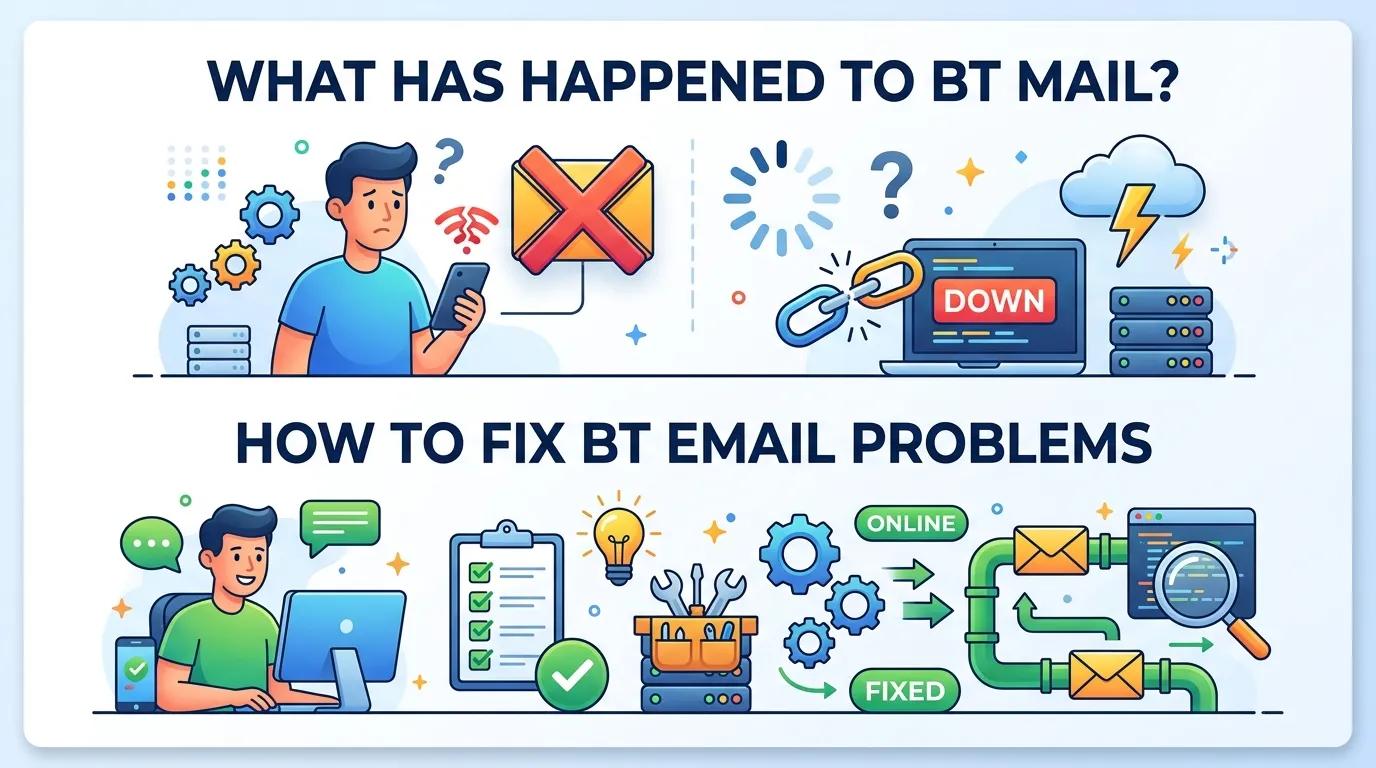
What Has Happened to BT Mail?
If BT Mail suddenly stops working, there are several possible reasons. It does not automatically mean BT has removed your email account.
A BT Mail problem can happen because of:
| Possible problem | What you may notice |
|---|---|
| Internet connection problem | BT Mail will not load |
| Slow broadband | Inbox takes a long time to open |
| Temporary BT service problem | Email may not send or load |
| Login problem | Username or password is rejected |
| Browser problem | Webmail page does not work correctly |
| Email app problem | Outlook or another app cannot connect |
| Account problem | Your account may require action |
| Spam filtering | Expected emails appear to be missing |
| Device problem | Email works on one device but not another |
BT’s own troubleshooting guidance recommends checking your broadband connection, restarting your equipment, logging out and back in, and trying basic browser troubleshooting when email problems occur.
Is BT Mail Down?
If you cannot access BT Mail, the first question is whether the problem affects only you or many BT users.
A temporary service problem can affect email access, sending or receiving. BT’s email help pages advise customers with connection problems to check the BT service status information for known issues.
However, you should not assume that BT Mail is down simply because your inbox will not open.
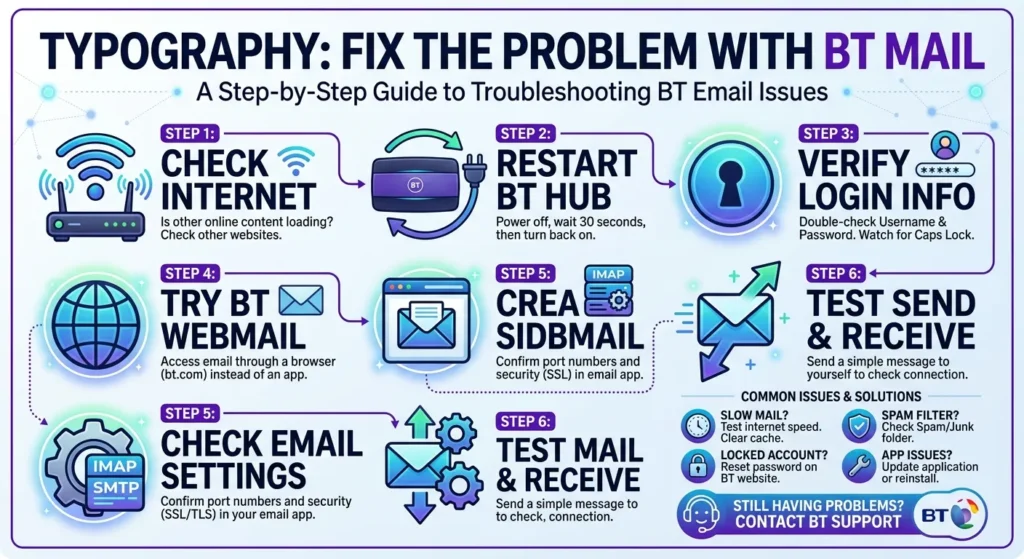
Try these checks:
- Open another website.
- Check whether other devices can access the internet.
- Restart your BT Hub.
- Try opening BT Mail again.
- Try a different browser.
- Try logging into BT Mail from another device.
- Check BT’s official service information for known problems.
If other websites are also slow or unavailable, your broadband connection could be part of the problem.
Check Your BT Internet Connection First
One of the easiest ways to investigate a BT Mail problem is to test your internet connection.
Email needs an internet connection to communicate with BT’s servers. If your connection is extremely slow, unstable or dropping repeatedly, websites and email services can take longer to load or fail to connect.
BT explains that broadband speed is measured in Mbps and that the speed you experience can be affected by factors such as Wi-Fi, the number of connected devices, your device, and whether you are using Wi-Fi or Ethernet.
Test Your BT Broadband Speed
You can use our BT Broadband Speed Test to check the connection you are currently getting.
A speed test can show your download speed, upload speed and latency. This gives you useful information before deciding whether the problem is related to your internet connection.
Why use Speed Test UK?
Our speed test is designed to give UK users a quick way to check their internet connection without needing to install additional software. It can be useful when investigating problems such as slow websites, buffering, poor video calls, gaming latency or email services that are taking too long to load.
For the most useful comparison, run the test more than once at different times of the day. Your result is a measurement of your connection at that particular time, rather than a permanent guarantee of your broadband speed.
Why BT Mail May Stop Working
There is no single reason why BT Mail can stop working. The correct solution depends on what you see when you try to use the service.
Your Internet May Be Slow
If your broadband connection is slow, BT Mail can take longer to load. Attachments may also take longer to download or send.
Other online activities can affect your available bandwidth. Streaming video, downloading large files and several people using the same Wi-Fi network can all influence the speed available to an individual device.
BT notes that the number of connected devices and how the connection is being used can affect the speed experienced at home.
Your Wi-Fi May Be the Problem
Your broadband service and your Wi-Fi connection are related, but they are not the same thing.
For example, your BT Hub might have a good internet connection while your laptop or phone receives a weak Wi-Fi signal.
Walls, distance from the hub, older devices and interference can affect Wi-Fi performance. BT recommends checking the connection and distinguishing between the speed reaching the hub and the speed reaching your device.
Try moving closer to your BT Hub and then test BT Mail again.
BT Mail Login Problems
You may be able to access the internet but still be unable to sign in to BT Mail.
Check that:
- Your email address is correct.
- Your password is correct.
- Caps Lock is not switched on.
- You are using the correct BT login details.
- Your account has not been temporarily locked.
- You have not recently changed your password without updating your email app.
BT says that repeated incorrect login attempts can temporarily lock an account. It also recommends checking whether you can access email through webmail when an email application is causing problems.
BT Mail Works Online but Not in Outlook
Sometimes BT Mail works perfectly in a browser but does not work in an email application.
This can indicate a problem with the email app’s settings rather than the BT Mail service itself.
For example, Outlook or another email application may have outdated login information after you change your password.
BT recommends trying to log in through BT webmail. If webmail works but your email application does not, the application or its configuration may need attention.
This is a useful test because it helps separate an account problem from an email-app problem.
BT Mail Is Not Sending Emails
If you can receive emails but cannot send them, there may be a sending problem.
First, check that the recipient’s email address is correct. You should also look for any error message returned by the email service.
BT explains that some sending errors can occur when the destination email address does not exist or when there is a problem with the destination mail server. Temporary BT Email service problems can also affect sending.
Try sending a short test message to yourself.
If the test message works, the original message may have had a recipient or attachment problem.
BT Mail Is Not Receiving Emails
If you are expecting an email but cannot find it, do not immediately assume that BT Mail has deleted it.
BT recommends checking several things, including:
- The sender actually sent the message.
- The sender used the correct email address.
- The message has not gone into your Spam folder.
- The message has not been delayed.
- The sender’s email service is working correctly.
BT notes that email can sometimes be delayed because of problems involving the sender’s mail server, internet traffic or routing.
Try BT Webmail
If you normally use an email application, try accessing BT Mail through a web browser.
This is a useful troubleshooting step because it can tell you whether the problem is with your account or with the application.
If BT Mail works in your browser but not in Outlook, Apple Mail or another email application, check the application’s account settings.
If BT Mail does not work in your browser either, check your login details and BT’s service information.
Restart Your BT Hub
Restarting your BT Hub is a simple step that can resolve some temporary connection problems.
Before restarting, close important downloads and online activities.
After restarting:
- Wait for the Hub to reconnect.
- Connect your device to the network.
- Open a website.
- Try BT Mail again.
- Run a speed test if the connection still feels slow.
Do not repeatedly restart the Hub if you are investigating a broadband fault. If the problem continues, use the appropriate BT troubleshooting process.
Check Your Broadband Speed
A slow connection does not always mean that BT’s network is down.
Your connection can be affected by:
| Factor | Possible effect |
|---|---|
| Wi-Fi distance | Lower device speed |
| Thick walls | Weaker Wi-Fi signal |
| Many connected devices | Less available bandwidth |
| Streaming | More network usage |
| Large downloads | Slower performance for other activities |
| Older devices | Lower Wi-Fi performance |
| Peak-time demand | Speeds may vary |
| Router or Hub issues | Connection problems |
BT explains that actual device speed can be lower than the speed reaching the BT Hub.
This is why running a speed test can be useful when BT Mail appears to be slow.
Why Use Speed Test UK for a BT Connection?
If you are searching for BT internet speed, BT broadband speed test, or BT Wi-Fi speed, a dedicated speed test can help you understand what your connection is doing at the time you experience a problem.
Speed Test UK provides a simple way to test your connection without making you search through multiple technical settings.
You can use the test when:
- BT Mail is taking too long to load.
- Websites are loading slowly.
- Video calls are buffering.
- Streaming quality is poor.
- Online games have high latency.
- Downloads seem unusually slow.
- You want to compare your speed at different times.
- You want to investigate whether a slow connection could be contributing to an online service problem.
A speed test cannot prove that BT Mail itself is down. Instead, it helps you determine whether your own internet connection is performing normally.
That distinction is important.
How to Get a More Useful Speed Test Result
For a better result, try to reduce other internet activity while testing.
Close unnecessary browser tabs and pause large downloads or uploads.
If possible, test using an Ethernet connection because this removes some of the variables associated with Wi-Fi.
BT also explains that the speed experienced by a device can be different from the speed reaching the Hub because of Wi-Fi, device limitations and other factors.
You can also run the test at different times. A morning result and an evening result may not be identical.
What If BT Mail Still Does Not Work?
If your internet connection appears normal and BT Mail still does not work, work through the problem step by step.
Quick BT Mail troubleshooting checklist
| Step | What to do |
|---|---|
| 1 | Check your internet connection |
| 2 | Test your broadband speed |
| 3 | Restart your BT Hub |
| 4 | Try another website |
| 5 | Try BT Mail in another browser |
| 6 | Check your username and password |
| 7 | Try BT webmail instead of your email app |
| 8 | Check your Spam folder |
| 9 | Look for BT service issues |
| 10 | Contact BT support if the problem continues |
BT’s support pages provide separate guidance for email login problems, sending and receiving problems, and error messages.
BT Mail Not Working Today? The Five-Minute Checklist
If BT Mail has suddenly stopped working today, do not start by changing passwords or deleting the account from your phone — most sudden BT email problems are temporary or sit in one of three places. First, sign in at BT webmail in your browser: if webmail works, your account and password are fine and the fault is in your email app. Second, check your broadband itself with a quick speed test — mail apps fail quietly when the connection drops in and out. Third, if you were recently asked to re-verify or changed your BT password anywhere, update it in every app, because BT Mail locks apps out when they keep trying an old password.
If webmail also fails and neighbours or family on BT see the same thing, it is likely a BT-side problem and waiting — not tinkering — is the fix; check again in an hour before you change any setting you will have to undo later. If webmail works but one app does not, remove and re-add the account in that app using the settings in the sections above. Only contact BT once you know which of these three it is — the answer decides which team can actually help you.
When Should You Contact BT?
You should consider contacting BT when you have completed the basic checks and the problem continues.
This is particularly useful when:
- Your BT connection repeatedly disconnects.
- Your broadband speed is consistently much lower than expected.
- BT Mail will not work across different devices.
- You cannot access your account.
- You receive a specific BT error message.
- You believe there is a service fault.
- Your email account may have been compromised.
Have useful information ready before contacting support. This can include your BT account details, the device you are using, the time the problem started, error messages and the results of any connection tests.
Does a BT Mail Problem Mean Your Broadband Is Down?
No.
A BT Mail problem and a BT broadband outage are not necessarily the same thing.
For example, you might have a working broadband connection but an email login problem. Alternatively, your email could work normally while your Wi-Fi connection is slow.
This is why checking both services separately is useful.
If several websites fail to load, start by investigating your internet connection. If websites work normally but BT Mail does not, investigate the email account or BT Email service.
Frequently Asked Questions
What has happened to BT Mail?
BT Mail has not simply disappeared. BT continues to provide BT Email and publishes support information for login, sending, receiving, error messages and other email problems. A failure to access BT Mail can have several causes, including connection, login, browser, application or temporary service issues.
Why is my BT Mail not working?
Your BT Mail may not work because of an internet connection problem, incorrect login details, a browser problem, an email app issue, an account problem or a temporary BT service issue.
Is BT Mail down right now?
A problem accessing BT Mail does not by itself prove that BT Mail is experiencing a nationwide outage. Check BT’s official service information and test your own internet connection before deciding that the service is down.
Why can I use the internet but not BT Mail?
Your broadband connection can work while BT Mail has a separate problem. If other websites work normally, try BT webmail, check your login details and investigate BT Email service information.
Why is BT Mail so slow?
BT Mail can feel slow if your internet connection is slow, your Wi-Fi signal is weak, your device is having problems or there is a temporary service issue. Running a speed test can help determine whether your broadband connection is performing normally.
Why can I receive BT emails but not send them?
A sending problem can be caused by incorrect recipient information, email settings, a temporary service issue or a problem with the destination mail server. Check the error message and try sending a simple test email.
Why am I not receiving an expected BT email?
Check your Spam folder, confirm that the sender used the correct address and ask the sender to resend the message. Emails can sometimes be delayed during transmission.
Can a slow BT internet connection affect BT Mail?
Yes. A slow or unstable internet connection can make BT Mail difficult to load or use. However, slow email does not necessarily mean that BT’s email servers are experiencing a problem.
Should I test my BT internet speed?
Yes. A speed test can help you determine whether your internet connection is performing normally when BT Mail or other online services are slow.
Conclusion
If you have been searching “what has happened to BT Mail?”, do not assume that your BT email account has disappeared. BT continues to provide BT Email and has dedicated support information for common problems involving login, sending, receiving, email applications and error messages.
Start with the simple checks. Make sure your internet connection is working, restart your BT Hub, check your login details and try BT Mail through a web browser. If your email works online but not in your email application, the problem may be related to the application’s settings.
If BT Mail and other websites are slow, test your BT internet connection. A speed test can help you see whether your broadband performance is part of the problem.
For UK users, Speed Test UK provides a quick way to check internet performance and understand whether your connection is running normally before spending time troubleshooting an individual online service.
The key point is simple: BT Mail problems do not always mean BT Mail is down. Check your connection, check your account, check the service status, and then troubleshoot the specific problem.
Select your broadband provider and check your internet speed with our
dedicated UK speed test.
Check your BT broadband speed. Check your EE broadband speed. Check your Sky broadband speed. Check your Virgin Media speed. Check your Vodafone broadband speed. Check your Plusnet broadband speed. Check your TalkTalk broadband speed. Check your Zen broadband speed.
Check your internet connection with our fast and easy-to-use testing tools.
UK Broadband Provider Speed Tests
BT Broadband
EE Broadband
Sky Broadband
Virgin Media
Vodafone UK
Plusnet
TalkTalk
Zen Internet
Popular Speed Test Tools