If your internet feels slow, you may want to know which broadband speed test you should use.
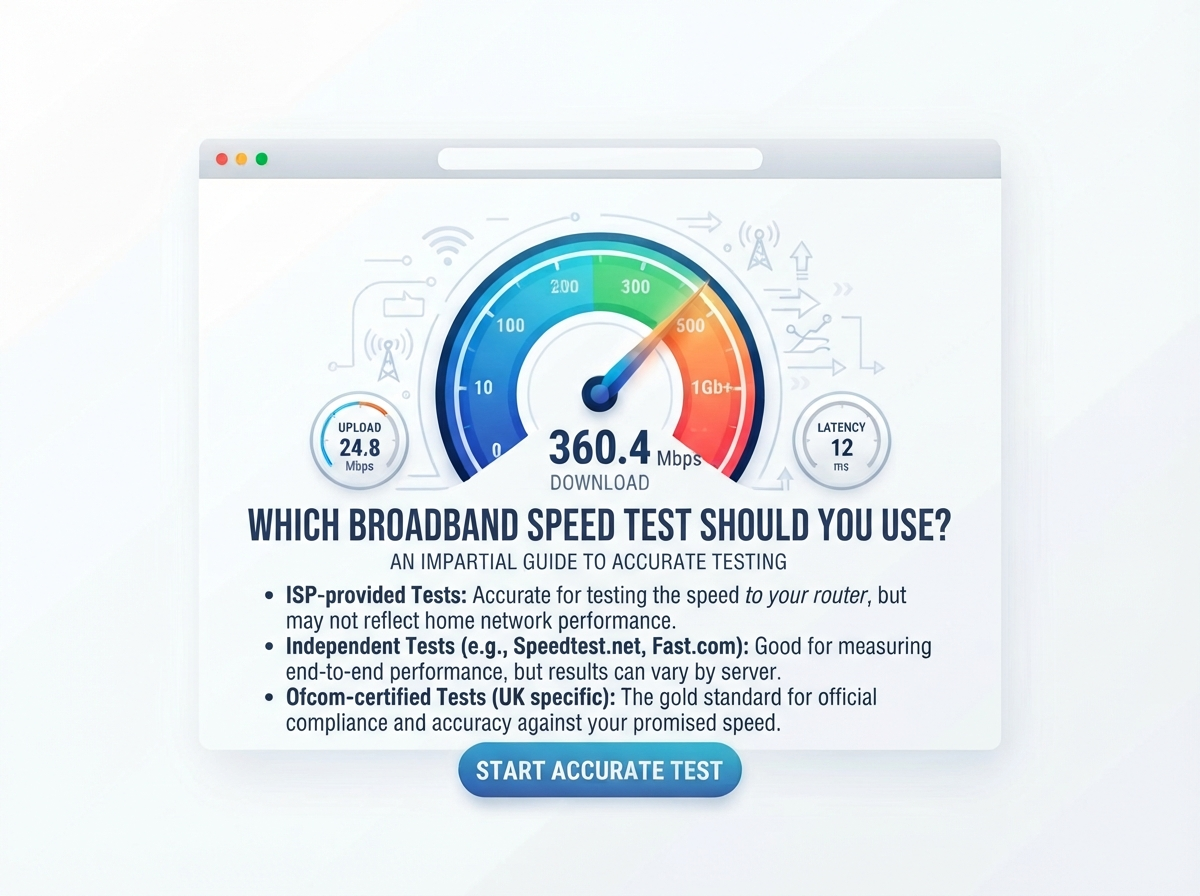
A broadband speed test can show how your internet connection is performing. Most tests measure your download speed, upload speed and ping. Some tests may also provide information about latency, jitter or other connection details.
For people in the UK, running a speed test can be useful when checking a new broadband connection, investigating slow internet, comparing Wi-Fi performance, or checking whether your connection is delivering the speed you expect.
Ofcom recommends testing your broadband connection and notes that results can vary depending on factors such as Wi-Fi, the device being used, the time of day and other internet activity. For the most accurate possible test, Ofcom recommends using an Ethernet connection where possible.
Which Broadband Speed Test Should You Use?
The best test for you depends on what you want to check.
If you simply want to know your current internet speed, you can use the Broadband Speed Test on Speed Test UK.
It can help you check important connection measurements such as download speed, upload speed and ping.
If you are investigating a slow connection, it is useful to run the test more than once and compare results.
Ofcom also recommends carrying out several tests over different days and at different times because broadband performance can change.
What Does a Broadband Speed Test Measure?
A broadband speed test normally checks several parts of your internet connection.
| Test result | What it means |
|---|---|
| Download speed | How quickly data comes to your device |
| Upload speed | How quickly data leaves your device |
| Ping | How quickly your connection responds |
| Latency | The delay between your device and a server |
| Jitter | Variation in latency |
| IP address | Identifies your internet connection on the network |
The exact information shown depends on the speed test you use.
What Is Download Speed?
Download speed measures how quickly information travels from the internet to your device.
You use download speed when you:
- Watch Netflix
- Watch YouTube
- Browse websites
- Download files
- Download games
- Listen to music
- Use social media
- Download apps
Download speed is normally shown in Mbps, or megabits per second.
For example, a result of 100 Mbps means the test measured a connection capable of transferring data at around 100 megabits per second under those test conditions.
What Is Upload Speed?
Upload speed measures how quickly information travels from your device to the internet.
Upload speed is important when you:
- Upload photos
- Upload videos
- Send large files
- Use cloud storage
- Join video meetings
- Work from home
- Live stream
- Back up files
A broadband connection can have a much higher download speed than upload speed, depending on the technology and package.
If you regularly upload large files, pay attention to your upload result as well as your download result.
What Is Ping?
Ping measures the response time between your device and a test server.
It is normally measured in milliseconds (ms).
A lower ping generally means a quicker response.
Ping can be particularly important for:
- Online gaming
- Video calls
- Voice calls
- Remote desktop
- Other real-time applications
For example, you might have a fast 500 Mbps download connection but still notice delays in a game if your latency is high or unstable.
What Is Jitter?
Jitter measures changes in latency.
If your ping is normally 20 ms but regularly jumps to much higher values, the connection has more variation.
High jitter can sometimes affect:
- Online gaming
- Video calls
- Voice calls
- Live streaming
- Other real-time services
This is why looking at more than download speed can give you a better understanding of your connection.
Why Should You Use a Broadband Speed Test?
There are many reasons to test your broadband.
You may want to:
- Check your current internet speed.
- See if your broadband is slow.
- Compare Wi-Fi performance.
- Check a new broadband installation.
- Compare morning and evening speeds.
- Test your connection before contacting your provider.
- Check whether your internet package meets your needs.
- Investigate buffering or lag.
- Compare Wi-Fi with Ethernet.
A speed test gives you a measurement that can help you understand what your connection is doing at that moment.
How Accurate Are Broadband Speed Tests?
A speed test is a measurement, not a permanent description of your internet connection.
Your result can change because of:
- Wi-Fi signal strength
- Distance from the router
- Other devices
- Background downloads
- Network congestion
- Your device
- Router performance
- Test server
- Time of day
This means two tests can produce different results even when nothing is wrong with your broadband.
Ofcom also says speed can vary by day and time and recommends testing more than once when investigating connection problems.
How to Get the Most Accurate Broadband Speed Test
For a useful test, follow these steps.
1. Use a Computer or Tablet
A computer or tablet can make it easier to perform a consistent test.
2. Use Ethernet if Possible
Connect your computer directly to your router using an Ethernet cable.
This helps remove many Wi-Fi-related problems.
Ofcom specifically recommends an Ethernet connection when you want to run the most accurate possible speed test.
3. Stop Other Internet Activity
Pause:
- Downloads
- Uploads
- Streaming
- Cloud backups
- Game updates
This gives the test more of your available bandwidth.
4. Disconnect Unnecessary Devices
Phones, TVs, tablets, consoles and smart devices can use your broadband connection.
If possible, temporarily reduce other internet activity.
5. Run the Test
Open the Speed Test UK Broadband Speed Test and start the test.
6. Record Your Results
Write down:
- Download speed
- Upload speed
- Ping
- Jitter, if shown
7. Test More Than Once
Run several tests if you are investigating a problem.
You can test:
- Morning
- Afternoon
- Evening
This can help you see whether the result is consistent.
Should You Test Broadband Speed on Wi-Fi?
Yes, but understand what the result means.
A Wi-Fi speed test tells you how your device is performing over your wireless network.
It does not necessarily tell you the maximum speed of your broadband line.
For example, you could have a 300 Mbps broadband connection but receive only 150 Mbps on a device located far from the router.
Possible reasons include:
- Distance
- Walls
- Interference
- Router position
- Wi-Fi standard
- Device limitations
A Wi-Fi test is useful because it tells you the performance you actually experience on that device.
Should You Test Broadband Speed With Ethernet?
If possible, yes.
An Ethernet test can help you separate broadband performance from Wi-Fi performance.
For example:
| Test | Result |
|---|---|
| Ethernet | 290 Mbps |
| Wi-Fi near router | 270 Mbps |
| Wi-Fi upstairs | 120 Mbps |
This type of result could suggest that the broadband connection itself is performing well while Wi-Fi performance changes around the home.
The exact interpretation depends on your equipment and connection.
Why Is My Wi-Fi Speed Lower Than My Broadband Speed?
This is very common.
Your broadband connection goes to your router. Your router then sends the connection to your devices.
The Wi-Fi connection can be affected by:
- Walls
- Floors
- Furniture
- Distance
- Wireless interference
- Router position
- Other Wi-Fi networks
- Device hardware
Ofcom also notes that Wi-Fi speed can be affected by your router, device, distance from the router, walls and interference.
Should I Use the Same Speed Test Every Time?
If you are comparing results, using the same test can make comparisons easier.
For example, if you test your connection today and again next week using the same conditions, the results may be easier to compare.
However, different tests can sometimes provide useful additional information.
If you are investigating a problem, you can compare results from more than one reputable test.
The important thing is to keep the testing conditions similar.
What Is a Good Broadband Speed Test Result?
There is no single result that is good for every household.
Your required speed depends on what you do online.
| Download speed | General use |
|---|---|
| 10 Mbps | Basic browsing and light use |
| 25 Mbps | Everyday use for one or two people |
| 50 Mbps | Streaming and normal home use |
| 100 Mbps | Many households |
| 300 Mbps | Busy households |
| 500 Mbps | Heavy home use |
| 1 Gbps | Very high bandwidth needs |
Ofcom currently describes standard broadband as up to 30 Mbit/s, superfast as 30–300 Mbit/s and ultrafast as 300 Mbit/s or more.
The speed you need depends on your household.
What Is a Good Upload Speed?
Upload speed requirements are different from download speed requirements.
A person who mainly browses websites may not need a very fast upload connection.
Someone who works from home, uploads videos or uses cloud backups may benefit from higher upload speeds.
| Upload speed | General use |
|---|---|
| 1–5 Mbps | Basic uploads |
| 5–10 Mbps | Video calls and normal uploads |
| 10–25 Mbps | Regular work-from-home use |
| 25–50 Mbps | Larger file uploads |
| 50 Mbps+ | Heavy uploading |
These are general guidelines rather than strict requirements.
What Is a Good Ping?
Ping is measured in milliseconds.
A lower number generally means lower delay.
| Ping | General description |
|---|---|
| Under 20 ms | Very low latency |
| 20–50 ms | Low latency |
| 50–100 ms | Moderate latency |
| 100–150 ms | Higher latency |
| 150 ms+ | High latency |
These ranges are only a simple guide.
The importance of ping depends on what you are doing online.
Gaming and video calls can be more sensitive to latency than normal web browsing.
What Is a Good Jitter Result?
Jitter measures how much your latency changes.
A stable connection normally has less variation.
High jitter may be noticeable during:
- Gaming
- Video calls
- Voice calls
- Live streaming
If your download speed is high but your connection still feels unstable during real-time activities, checking latency and jitter can be useful.
Why Does My Speed Test Change During the Day?
Your broadband speed can change because of several factors.
For example:
- More people may be using your home connection.
- Your provider’s network conditions may change.
- Wi-Fi interference can change.
- Background downloads may start.
- Your test server may perform differently.
Ofcom advises consumers to run multiple tests at different times when investigating broadband performance.
If your connection is consistently slower during the evening, record several evening tests and compare them with tests from quieter times.
What If My Broadband Speed Is Much Lower Than Expected?
First, run another test.
Then:
- Move closer to your router.
- Stop other internet activity.
- Try an Ethernet connection.
- Restart your router.
- Test again.
- Test at different times.
- Compare the result with the speed provided in your broadband contract.
If the problem continues, contact your broadband provider.
Ofcom says customers should receive information about expected and minimum speeds for applicable broadband services, including information relevant to busy periods.
Should You Choose a Broadband Provider Based Only on Speed?
No.
Speed is important, but it is not the only thing to consider.
You should also check:
- Availability
- Full Fibre availability
- Upload speed
- Contract price
- Contract length
- Router
- Customer service
- Minimum guaranteed speed
- Network technology
- Additional services
Broadband availability can vary significantly between addresses.
Ofcom’s broadband checker allows users to check which broadband services and speeds may be available at a particular address.
How to Find the Right UK Broadband Provider
If you are looking for a new broadband service, first check what is available at your address.
Different providers can use different networks.
For example, the availability of:
- BT
- Virgin Media
- Sky
- TalkTalk
- EE
- Vodafone
- Plusnet
- NOW Broadband
- Hyperoptic
- Community Fibre
- Zen Internet
can vary by location.
Our UK Broadband Providers guide explains the main providers, network types, typical speed ranges and why checking your exact postcode is important.
The guide also explains the difference between Full Fibre, FTTC, cable and alternative fibre networks.
Broadband Speed Test vs Broadband Provider Checker
These two tools answer different questions.
| Tool | What it tells you |
|---|---|
| Broadband speed test | What speed you are getting now |
| Provider checker | What broadband services may be available |
| Broadband package information | What speed your provider expects |
| Wi-Fi test | How your wireless connection performs |
For example, a provider checker can tell you whether Full Fibre is available at your property.
A speed test tells you how your current connection is performing.
Using both can give you a clearer picture.
When Should You Run a Broadband Speed Test?
You can test your broadband whenever you want.
It can be particularly useful when:
- Your internet feels slow.
- Websites take longer to load.
- Streaming keeps buffering.
- Online games have lag.
- Video calls freeze.
- Downloads take too long.
- You have upgraded your broadband.
- You have moved to a new home.
- You are comparing Wi-Fi rooms.
- You are preparing to contact your provider.
How Often Should You Test Your Internet?
There is no need to test your internet every day unless you are investigating a problem.
For normal use, you might test:
- When you install a new broadband service.
- When your internet starts feeling slow.
- After changing your router.
- After upgrading your broadband.
- When comparing Wi-Fi performance.
If you have a connection problem, run several tests over several days.
This can provide more useful information than a single result.
Can a Speed Test Damage My Internet?
No.
A normal broadband speed test does not damage your router or internet connection.
However, during the test, your connection is actively being used to transfer data.
If you have a limited connection, you may notice that other activities temporarily have less available bandwidth while the test is running.
Does a Speed Test Use Data?
Yes.
A speed test transfers data between your device and a test server.
The amount can vary depending on your connection and the test.
For a home broadband connection with no strict data limit, this normally is not an important concern.
If your internet package has a data allowance, keep the test’s data usage in mind.
What Is the Best Way to Compare Broadband Speeds?
Use the same conditions for each test.
For example:
Test A
- Ethernet
- Same computer
- Same speed test
- No downloads
- Morning
Test B
- Ethernet
- Same computer
- Same speed test
- No downloads
- Evening
This makes the results easier to compare.
Quick Broadband Speed Test Checklist
Before starting your test:
| Check | Done? |
|---|---|
| Stop downloads | ✓ |
| Stop streaming | ✓ |
| Close unnecessary apps | ✓ |
| Use Ethernet if possible | ✓ |
| Test on the same device | ✓ |
| Record download speed | ✓ |
| Record upload speed | ✓ |
| Record ping | ✓ |
| Repeat the test | ✓ |
| Test at different times | ✓ |
Frequently Asked Questions
Which broadband speed test should I use?
For checking your current connection, you can use the Speed Test UK Broadband Speed Test. For troubleshooting, run the test more than once and compare results under similar conditions.
Is an online broadband speed test accurate?
A speed test can provide a useful measurement, but the result can be affected by Wi-Fi, your device, router, network traffic and the test server. For a more accurate test of the broadband connection, use Ethernet where possible.
Should I test my broadband with Wi-Fi?
Yes. A Wi-Fi test can show the speed you actually receive on your device. However, Wi-Fi results can be lower than the speed of your broadband line.
Is Ethernet better for a speed test?
Ethernet is useful when you want to reduce the effect of Wi-Fi on the measurement. Ofcom recommends using an Ethernet connection for the most accurate possible speed test.
Why does my broadband speed change?
Speed can change because of network conditions, Wi-Fi, other devices, background activity, the time of day and other factors.
How many times should I test my broadband?
If you are checking for a problem, run several tests over different days and at different times. This can give you a better picture of your normal performance.
What is a good broadband speed in the UK?
It depends on your household. Basic users may need much less speed than families with multiple people streaming, gaming and working online.
What is the difference between broadband speed and Wi-Fi speed?
Broadband speed describes the connection coming into your home, while Wi-Fi speed describes how quickly your device communicates with your router wirelessly.
Should I change my broadband provider if my speed is slow?
First find out whether the problem is with the broadband line, Wi-Fi, router or device. Test with Ethernet and compare the result with the speed you were promised. Then contact your provider if the issue continues.
How can I find UK broadband providers?
You can use our UK Broadband Providers guide to learn about major UK providers, networks, speeds and coverage considerations.
Important Points to Remember
- A broadband speed test measures your connection at a particular moment.
- Download speed is important for streaming and downloads.
- Upload speed is important for sending files and video calls.
- Ping measures response time.
- Jitter measures changes in latency.
- Wi-Fi can make your speed-test result lower.
- Ethernet can provide a more useful test of the broadband connection.
- Test more than once if you are investigating a problem.
- Test at different times to compare performance.
- Broadband availability depends on your exact address.
- Do not choose a provider based only on its highest advertised speed.
- Check upload speed, availability, price and other package details too.
Conclusion
So, which broadband speed test should you use?
If you want to check your current broadband connection, start with a reliable Broadband Speed Test. Check your download speed, upload speed and ping, and repeat the test if you are investigating a connection problem.
For the most useful results, stop other internet activity and use an Ethernet connection where possible. Wi-Fi can be affected by distance, walls, interference, your router and your device, so a Wi-Fi result does not always show the full performance of your broadband line.
If you are thinking about changing broadband providers, testing your current speed is only one part of the process. You should also check which providers and network technologies are available at your address.
Our UK Broadband Providers guide can help you understand the main UK broadband providers, network types, speed options and coverage considerations.
The most useful approach is simple: test your current connection, understand your results, check what is available at your address, and then compare broadband options based on your actual needs.
Check your internet connection with our fast and easy-to-use testing tools.
Popular Speed Test Tools